
Venn Diagram (2 Sets)
Loading the math board and drawing, please wait…
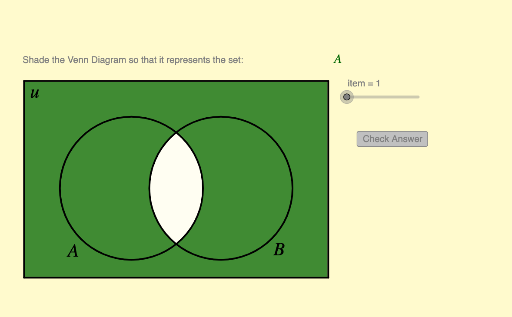
This example demonstrates a Venn diagram for two sets. It illustrates basic set concepts such as union, intersection, and complement. Using GeoGebra commands like Segment, If, Element, etc., you can dynamically adjust the elements of the sets and observe the changes in the Venn diagram. Suitable for middle school and above students to learn set theory and logical relationships.
GeoGebra Commands & Parameters
Segment((x_1, y_1), (x_1, y_2)) → eSegment((x_1, y_2), (x_2, y_2)) → fSegment((x_2, y_1), (x_2, y_2)) → gSegment((x_2, y_1), (x_1, y_1)) → hIf(IsGreen1, 0, 1) → RB1If(IsGreen1, 0.4, 1) → G1If(IsGreen2, 0, 1) → RB2If(IsGreen3, 0, 1) → RB3If(IsGreen4, 0, 1) → RB4If(IsGreen2, 0.4, 1) → G2If(IsGreen3, 0.4, 1) → G3If(IsGreen4, 0.4, 1) → G4Element(problem, item, 1) → textitemLength(problem) → iElement(problem, item, 2) → keyPolygon(Corner[1], Corner[2], Corner[3], Corner[4]) → poly1, l, m, n, qCorner(5) → G