
Three-Step Geometric Transformations: Reflection, Rotation & Translation (V1)
Loading the math board and drawing, please wait…
In collections
Translations, Rotations, Reflections Exercises
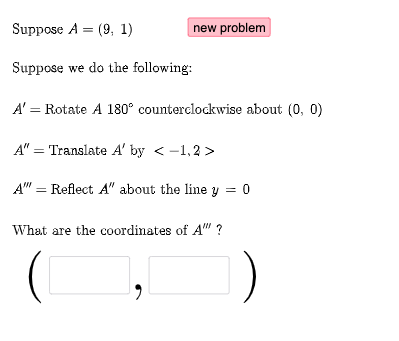
This example demonstrates how a geometry figure evolves when a point set undergoes three consecutive transformation steps: reflection, rotation, and translation. Viewers can track how corresponding points (pre-images and images) move and how the overall sketch changes after each step, highlighting the idea of composition of isometries. Key math concepts include geometric transformations and their properties, point correspondence under mappings, vector-driven rotations, and angle-controlled rotation behavior. Construction (from the provided GeoGebra command summary) relies on Random to generate parameters, Vector to form direction/step information, RandomElement to pick cases, If for branching among transformation modes, and Textfield to input or update controlling parameters interactively. The construction objects include base points a, b, c, d and their transformed outputs via FirstTrans, SecondTrans, and Thirdtrans, along with tracked key points P1, P2, P3. Additional variables such as l1 and ang1 support angle/rotation control, while masterlist and list structures manage correspondences across steps. A button (button1) triggers or organizes the transformation sequence. Suitable for middle/high school geometry lessons, especially units on transformations and construction, as well as interactive learning of geometric intuition.
GeoGebra Commands & Parameters
Random(-10, 10) → aRandom(-10, 10) → bRandom(1, 3) → FirstTransRandom(1, 3) → SecondTransRandom(-10, 10) → cRandom(-10, 10) → dVector((c, d)) → uRandom(-10, 10) → c2Random(-10, 10) → d2Vector((c2, d2)) → vRandomElement(masterlist) → n1If(n1 ≟ 1, {2, 3}, n1 ≟ 2, {1, 3}, n1 ≟ 3, {1, 2}) → secondlistRandom(-10, 10) → fRandom(-10, 10) → gRandomElement(m) → ang1Random(1, 3) → ThirdtransRandom(-10, 10) → kRandom(-10, 10) → lVector((k, l)) → wRandomElement(secondlist) → n2If(n1 + n2 ≟ 3, 3, n1 + n2 ≟ 4, 2, n1 + n2 ≟ 5, 1) → n3RandomElement(l1) → hIf(n1 ≟ 1, Translate[A, u], n1 ≟ 2, Rotate[A, ang1, P2], n1 ≟ 3, Mirror[A, h]) → A1If(n2 ≟ 1, Translate[A1, u], n2 ≟ 2, Rotate[A1, ang1, P2], n2 ≟ 3, Mirror[A1, h]) → A2If(n3 ≟ 1, Translate[A2, u], n3 ≟ 2, Rotate[A2, ang1, P2], n3 ≟ 3, Mirror[A2, h]) → A3Textfield(e1) → InputBox1Textfield(e2) → InputBox2If(e1 ≟ x(A3), "√", "X") → text14If(e2 ≟ y(A3), "√", "X") → text15
AI Drawing Prompt Reference
On a coordinate plane, randomly place a first set of base points and also choose another pair of points to define the direction for translation. Build a three-step sequence of rigid transformations applied in order: from the initial point set, perform one of three modes—translation along the direction, rotation controlled by a selected angle around a chosen reference point, or reflection across a line determined by that reference point—to get the first transformed image. Apply a second transformation of the same three types to that intermediate image, then apply a third transformation to obtain the final position. Track and display corresponding key points after each step to show how their locations evolve, and add simple marking indicating whether the final key point’s x- and y-values meet the entered conditions.
The prompt above was compiled from the original drawing commands and is for reference only.