
Sign of Moments QuickQuiz: Determine Positive vs Negative Rotation
Loading the math board and drawing, please wait…
In collections
Vector Mechanics & Statics
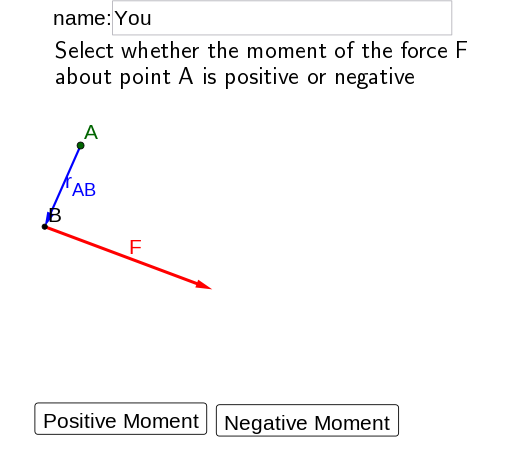
This example demonstrates a quick quiz for deciding whether a moment (or rotation-related quantity) is positive or negative by analyzing the relative directions of 2D vectors. The key math ideas are vector direction and sign in the plane, the positive/negative outcome corresponding to counterclockwise vs clockwise rotation (via a cross-product–type criterion or equivalent orientation test), and the use of interactive feedback to reinforce understanding. Construction emphasizes GeoGebra logic and visualization: the If command is used to check the user’s answer; Textfield collects the input; and Vector creates the vectors used in the moment/sign test. Additional objects such as Text elements provide prompts, wrong/feedback messages, and correct result display, while UI controls (e.g., buttons indicating ccw/cw states) switch or confirm the orientation. Suitable for middle school to early university learners studying 2D vectors, coordinate geometry foundations, and rotation/orientation concepts, as well as for classroom quick checks and online practice.
GeoGebra Commands & Parameters
If(second < 10, "0", "") → textsecTextfield(name) → InputBox1Vector(A, B) → uVector(B, C) → v
AI Drawing Prompt Reference
Draw a graph about vector direction and rotation, including two vectors u and v, respectively from points A and B to point C. The direction of vectors u and v determines the direction of rotation, clockwise rotation is negative, counterclockwise rotation is positive. Draw a text box to prompt the user to input a number to determine the rotation direction. According to the user's input number, draw a text prompt to tell the user whether the rotation is clockwise or counterclockwise.
The prompt above was compiled from the original drawing commands and is for reference only.