
Two-Step Transformations: Reflection and Rotation Combined
Loading the math board and drawing, please wait…
In collections
Translations, Rotations, Reflections Exercises
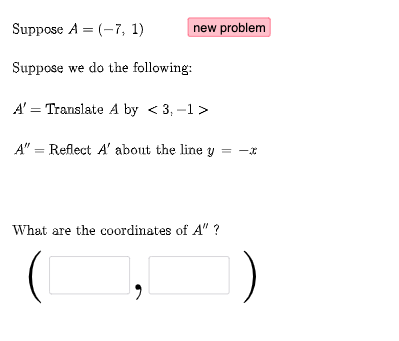
This example demonstrates how a figure changes when you apply two sequential geometric transformations (e.g., reflection and rotation, with the framework also allowing translation-like mappings). By comparing corresponding points and segments before and after each step, learners can visually track the effect of transformations and the underlying geometric invariants. Key concepts include geometric transformations (reflection/rotation/translation), correspondences between points, vector-based construction, and the role of angles and directions (via angle parameters). The construction is driven by GeoGebra commands Random, Vector, RandomElement, If, and Textfield to generate randomized points/parameters, build vectors, select transformation options, and control conditional steps. Objects such as FirstTrans, SecondTrans, and Thirdtrans represent the staged transformations; points a, b, c, d (and u, v) serve as initial/target correspondences, while c2, d2, f2, g2, P2, l1, and ang1 capture intermediate results and angle-related information. Suitable for middle school to early college geometry lessons, as well as interactive exploration and assignment-based practice.
GeoGebra Commands & Parameters
Random(-10, 10) → aRandom(-10, 10) → bRandom(1, 3) → FirstTransRandom(1, 3) → SecondTransRandom(-10, 10) → cRandom(-10, 10) → dVector((c, d)) → uRandom(-10, 10) → c2Random(-10, 10) → d2Vector((c2, d2)) → vRandomElement(masterlist) → n1If(n1 ≟ 1, {2, 3}, n1 ≟ 2, {1, 3}, n1 ≟ 3, {1, 2}) → secondlistRandom(-10, 10) → fRandom(-10, 10) → gRandom(-10, 10) → f2Random(-10, 10) → g2RandomElement(m) → ang1Random(1, 3) → ThirdtransRandom(-10, 10) → kRandom(-10, 10) → lVector((k, l)) → wRandomElement(secondlist) → n2If(n1 + n2 ≟ 3, 3, n1 + n2 ≟ 4, 2, n1 + n2 ≟ 5, 1) → n3RandomElement(l1) → hIf(n1 ≟ 1, Translate[A, u], n1 ≟ 2, Rotate[A, ang1, P2], n1 ≟ 3, Mirror[A, h]) → A1If(n2 ≟ 1, Translate[A1, u], n2 ≟ 2, Rotate[A1, ang1, P2], n2 ≟ 3, Mirror[A1, h]) → A2If(n3 ≟ 1, Translate[A2, u], n3 ≟ 2, Rotate[A2, ang1, P2], n3 ≟ 3, Mirror[A2, h]) → A3Textfield(e1) → InputBox1Textfield(e2) → InputBox2If(e1 ≟ x(A2), "√", "X") → text14If(e2 ≟ y(A2), "√", "X") → text15
AI Drawing Prompt Reference
Draw a figure to demonstrate the effect of sequential geometric transformations. Start with two randomly generated points as the initial position, then apply a random transformation (reflection, rotation, or translation) to the figure, followed by another random transformation. Show the corresponding points and segments before and after each transformation, and label key angles and transformation types with text.
The prompt above was compiled from the original drawing commands and is for reference only.