
Basic Percent Exercises: Random Sampling and Confidence Interval Visualization
Loading the math board and drawing, please wait…
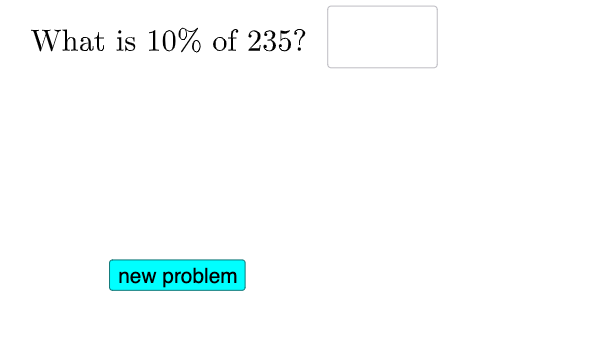
This GeoGebra example demonstrates hands-on percent (percentage) exercises where results change under different user inputs and where statistical variability is illustrated via random sampling. It focuses on converting between percentages and proportions, understanding basic statistical characteristics, and interpreting ideas behind confidence intervals (confidence interval) in a visual, interactive way. Construction highlights include using Sequence to generate the computational/display sequences, RandomElement to simulate different random samples, and Textfield/InputBox1–InputBox3 controls to let learners vary parameters and conditions. The If command drives conditional logic so that displayed text and computed outcomes update correctly. Supporting objects like lists (l1, l2) and multiple dynamic text fields (text1–text6) are used to present the percentage transformations and resulting statistics. Suitable for middle school to early university learners, for classroom demonstrations, and for interactive practice on arithmetic percentages and introductory probability & statistics.
GeoGebra Commands & Parameters
Sequence((0.05 * i), i, 3, 20, 2) → list, {0.15000000000000002, 0.25, 0.35000000000000003, 0.45, 0.55, 0.65, 0.75, 0.8500000000000001, 0.9500000000000001}RandomElement(l2) → aRandomElement(l1) → bTextfield(c) → InputBox1Textfield(d) → InputBox2If(c ≟ (0.1 * a), "√", "X") → text2If(d ≟ a / 20, "√", "X") → text4Textfield(g) → InputBox3If(g ≟ (b * a / 100), "√", "X") → text6
AI Drawing Prompt Reference
Create an interactive percentage practice interface with three input boxes for user entries. Display multiple dynamic text fields showing conversions between percentages and proportions. Use random sampling to generate two random numbers: one for a sequence of percentages and another for a sequence of proportions. Based on comparisons between user inputs and these random values, show checkmarks or crosses next to the text to indicate correctness. The layout should be clean and educational, emphasizing statistical variability and visualization of confidence intervals.
The prompt above was compiled from the original drawing commands and is for reference only.