
Compound Interest: Writing Function Models
Loading the math board and drawing, please wait…
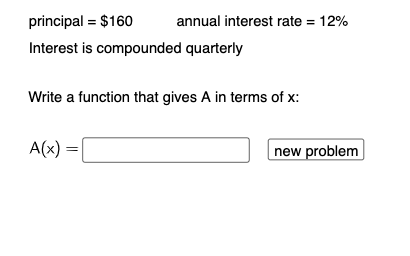
① This example demonstrates how to interactively construct a compound interest growth function model by adjusting parameters and observing the resulting graph and numerical outputs. ② Core mathematical concepts include the compound interest formula A=P(1+r/n)^(nt), exponential functions, the influence of variable parameters on function graphs, and the process of mathematical modeling. ③ Construction highlights: using GeoGebra commands such as RandomElement and Random to generate random initial parameters, If for conditional logic, and Textfield for user input; objects include parameters r, b, c, n, P, text labels (text1-text12), a button (button1), input boxes (InputBox1/2), and the final function f with correctness feedback (correct, correct2). ④ Suitable for high school or pre-university algebra and function courses, this example helps students understand compound interest calculations, exponential growth models, and parameter-driven dynamic visualization, and serves as an introductory exercise in mathematical modeling.
GeoGebra Commands & Parameters
RandomElement(Sequence[i, i, 1, 15, 0.25]) → rRandomElement({10, 20, 30, 40, 50, 60, 70, 80, 90}) → bRandom(1, 6) → cIf(c ≟ 1, 1, c ≟ 2, 2, c ≟ 3, 4, c ≟ 4, 12, c ≟ 5, 365) → nIf(c ≟ 2, 2, c ≟ 3, 1 + b / 100) → dRandom(100, 1000) → PRandomElement(Sequence[i, i, 0.25, 30, 0.25]) → tvalIf(c ≟ 1, "annually", c ≟ 6, "continuously", c ≟ 2, "semiannually", c ≟ 3, "quarterly", c ≟ 4, "monthly", c ≟ 5, "daily") → text3Textfield(f) → InputBox1If(c ≟ 1, a, c ≟ 2, g, c ≟ 3, h, c ≟ 4, beg) → correctTextfield(q) → InputBox2If(c ≤ 5, p ≟ q, q ≟ s) → correct2
AI Drawing Prompt Reference
Create an interactive graph demonstrating a compound interest growth model with randomly generated interest rate, principal, compounding periods, and type, featuring sliders to adjust parameters, displaying the function graph of A=P(1+r/n)^(nt), and including text boxes and a button for input and correctness feedback, showing function changes under different compounding frequencies and numerical outputs.
The prompt above was compiled from the original drawing commands and is for reference only.