
Basic Percent Exercises: Random Fractions and Piecewise Models
Loading the math board and drawing, please wait…
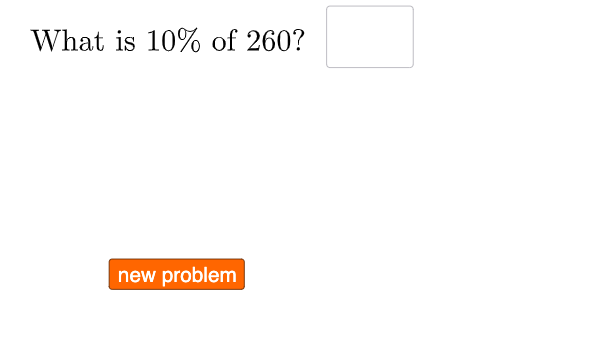
This GeoGebra example demonstrates how percent problems translate between percentages, fractions, and proportional calculations, using interactive inputs and randomly generated values. Students can visualize the behavior of the setup and see how the output changes under different conditions. Key concepts include equivalence between percents and fractions, ratio/proportion reasoning, and piecewise function logic. Construction highlights: Sequence is used to build candidate value sets; RandomElement selects parameters; Textfield and InputBox objects provide editable inputs and dynamic labels; and If controls conditional rules to create piecewise behavior. The model uses lists (e.g., list, l1, l2) and multiple text objects (text1–text6) to display computed percent/fraction results, with a button (button1) to generate or refresh exercises. Intended for middle-school learners and classroom instruction where percent skills connect to function-style modeling.
GeoGebra Commands & Parameters
Sequence((0.05 * i), i, 1, 20, 1) → list, {0.05, 0.1, 0.15000000000000002, 0.2, 0.25, 0.30000000000000004, 0.35000000000000003, 0.4, 0.45, 0.5, 0.55, 0.6000000000000001, 0.65, 0.7000000000000001, 0.75, 0.8, 0.8500000000000001, 0.9, 0.9500000000000001, 1}RandomElement(l2) → aRandomElement(l1) → bTextfield(c) → InputBox1Textfield(d) → InputBox2If(c ≟ (0.1 * a), "√", "X") → text2If(d ≟ a / 20, "√", "X") → text4Textfield(g) → InputBox3If(g ≟ (b * a / 100), "√", "X") → text6
AI Drawing Prompt Reference
Create an interactive percentage practice tool featuring multiple editable text input boxes for user answers. Display a column of randomly generated percentage values on the left side of the screen, ranging from 5% to 100% in 5% increments, serving as parameters for the exercises. Set up three input areas corresponding to different percentage calculation problems: the first asks users to input 10% multiplied by the selected parameter, the second requests the quotient of the parameter divided by 20, and the third requires the percentage value of the product of the selected percentage and another parameter. Each input box has a dynamic text label that displays a checkmark (√) or cross (×) symbol based on the correctness of the user's input. The entire interface uses conditional logic to control answer verification, provides immediate feedback, and includes a refresh button to generate new random practice problems.
The prompt above was compiled from the original drawing commands and is for reference only.