
Geometric construction of moon phases using circles and transformations
Loading the math board and drawing, please wait…
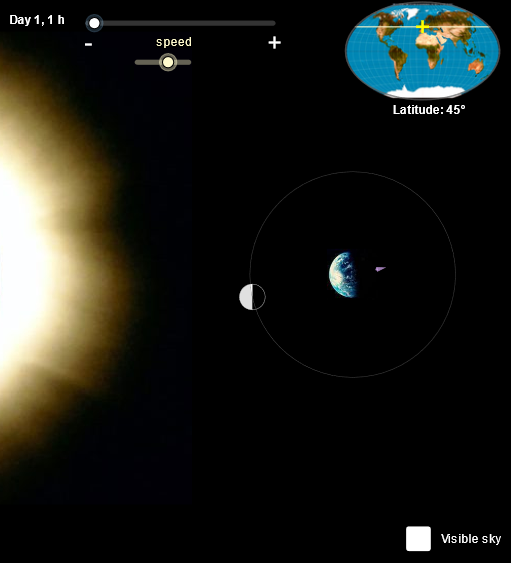
This example demonstrates how the illuminated–shadow boundary on the Moon changes across different moon phases, visualizing the shape/position of the dividing line through geometry. The key mathematical ideas include circle-based construction (circles, semicircles, sectors), angle characterization, computing intersections between geometric objects, and generating new configurations via transformations such as rotation, reflection, and orthogonal projection. Construction highlights derived from the GeoGebra command list: the model uses Line, Point, Segment, Ray, Circle, Semicircle, Sector, and CircleSector to build the base geometry; Intersect to locate critical intersection points; Rotate and Mirror to move from a reference phase to target phases; and OrthogonalLine to create perpendicular/projection relationships that define the illumination boundary. Additional elements such as Vector and Ellipse support directional or curved features within the construction. Suitable for secondary-school geometry construction, interactive math demonstrations, and geometry-based visualization of astronomical phenomena.
GeoGebra Commands & Parameters
Line(G, yAxis) → gPoint(g) → HSegment(G + (0, 0.005), H - (0, 0.005)) → h'Segment(G, H) → hPoint(h') → IRay(J, J + (1, 0)) → kPoint(k) → L'Ray(I, I + (1, 0)) → iCircle(T, rOrbita / 5) → tierraRotate(A, ang, T) → BCircle(T, rOrbita) → orbitaCircle(B, rOrbita / 8) → lunaIntersect(luna, s) → D, CSemicircle(C, D) → lunaASemicircle(D, C) → lunaBCircle((0, 0), R) → cRotate(P', ((d1 - d2) * 360°), T) → P2Rotate(P, ((d1 - d2) * 360°), T) → P1Vector(P1, P2) → uRotate(CurveCartesian[((R' * cos(t)) * cos(ang)), (R' * sin(t)), t, ((-π)) / 2, π / 2], angRot) → luna2Rotate(CurveCartesian[(((-R) * cos(ang)) * cos(t)), (R * sin(t)), t, ((-π)) / 2, π / 2], angRot) → luna3Rotate(CurveCartesian[((R * cos(t)) * cos(ang)), (R * sin(t)), t, ((-π)) / 2, π / 2], angRot) → luna1aRotate(CurveCartesian[((-((R * cos(t)))) * cos(ang)), (R * sin(t)), t, ((-π)) / 2, π / 2], angRot) → luna4bRotate(Semicircle[(0, (-R)), (0, R)], angRot) → luna1bRotate(Semicircle[(0, R), (0, (-R))], angRot) → luna4aRotate(lunaDer, angRot) → lunaDer'Rotate(lunaIzq, angRot) → lunaIzq'Rotate(lunaIzq1, angRot) → lunaIzq1'Rotate(lunaIzq2, angRot) → lunaIzq2'Rotate(Segment[(0, R), (0, (-R))], angRot) → fPoint(i) → LEllipse(F1, F2, x(L' - J)) → eIntersect(e, i) → M, NMirror(M, I) → M'Segment(M, M') → jCircle(T, 10) → pOrthogonalLine(T, u) → lIntersect(p, l) → O, QSemicircle(Q, O) → qIntersect(orbita, luna) → K, S, ,CircleSector(B, C, S) → dSector(luna, K, D) → r
AI Drawing Prompt Reference
Create a geometric construction illustration of moon phases. Start with a vertical reference line and place key points on it to define auxiliary segments and a projection direction. Draw a large orbit circle centered at T and a smaller moon circle (at the appropriate rotated positions). Use rotations about T by a chosen phase angle to generate multiple moon configurations. Compute important intersection points between the moon circles and the constructed divider geometry, then build left/right illumination–shadow boundaries using semicircles whose endpoints are those intersection points. Establish the boundary placement using a direction vector, draw an orthogonal line through T, and use its intersections to determine where the semicircle arc begins and ends. Include a mirrored version of the divider when needed and display sector relationships from the center using the two defining rays/points.
The prompt above was compiled from the original drawing commands and is for reference only.