
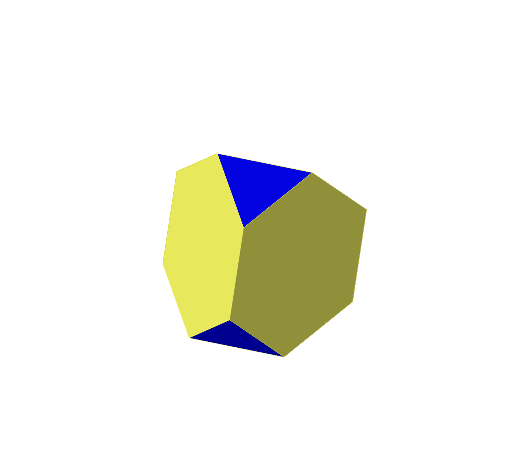
Truncated Tetrahedron
Loading the math board and drawing, please wait…
In collections
Archimedean Solids
This example demonstrates the construction of a truncated tetrahedron. It involves polygon and solid geometry concepts. Using commands like Polygon, Tetrahedron, Distance, Sphere, and Intersect, the various faces and edges of the truncated tetrahedron can be constructed. Suitable for high school or university solid geometry studies.
GeoGebra Commands & Parameters
Polygon(A, B, 3, xOyPlane) → poly1, g, h, i, CTetrahedron(poly1, true) → a, D, faceACD, faceABD, faceBCD, edgeAD, edgeCD, edgeBDDistance(B, D) → bSphere(D, b / 3) → cSphere(B, b / 3) → dSphere(C, b / 3) → eSphere(A, b / 3) → jIntersect(edgeAD, c, 1) → EIntersect(edgeBD, c, 1) → FIntersect(edgeCD, c, 1) → GIntersect(edgeCD, e, 1) → HIntersect(i, e, 1) → IIntersect(i, j, 1) → JIntersect(h, d, 1) → KIntersect(g, d, 1) → LIntersect(edgeBD, d, 1) → MIntersect(g, j, 1) → NIntersect(edgeAD, j, 1) → OIntersect(h, e, 1) → PPolygon(H, P, I) → t1, i_1, h_1, pPolygon(M, L, K) → t2, k, m, lPolygon(J, N, O) → t3, o, j_1, nPolygon(E, O, N, L, M, F) → poly2, e_2, o_1, n_1, l_1, m_1, f_1Polygon(F, M, K, P, H, G) → poly3, f_2, m_2, k_1, p_1, h_2, g_2Polygon(G, H, I, J, O, E) → poly4, g_3, h_3, i_2, j_2, o_2, e_3Polygon(I, P, K, L, N, J) → poly5, i_3, p_2, k_2, l_2, n_2, j_3Polygon(G, E, F) → t4, f, g_1, e_1
AI Drawing Prompt Reference
Draw a truncated tetrahedron with a triangular base and four quadrilateral sides. Start by constructing a tetrahedron, then place spheres of one-third the base edge length at each vertex. Connect the intersection points of these spheres to form new polygonal faces, creating the truncated appearance.
The prompt above was compiled from the original drawing commands and is for reference only.