
Tracing an Elliptic Paraboloid with Parabolas
Loading the math board and drawing, please wait…
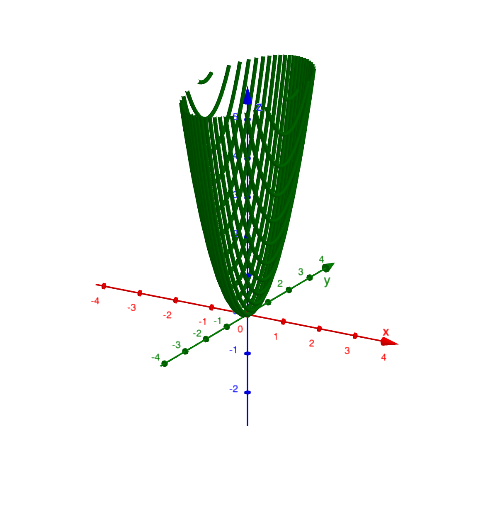
This GeoGebra example demonstrates how to trace the shape of an elliptic paraboloid by using a family of parabolas as cross-sections (or piecewise steps) and tracking the resulting intersection-driven curve. The key mathematics includes the relationship between quadric surfaces and conic sections, intersection computation, and piecewise/step-wise constructions that give a smooth visual approximation of the underlying locus. In the construction, GeoGebra uses the command IntersectPath together with the objects f, k, p, and c: the intersections along a path are determined and connected to form the tracing curve that reflects how the parabola slices capture the paraboloid’s geometric behavior. Suitable for high school through early university learners for lessons on analytic geometry, solid geometry, and graphing/visual modeling of functions and loci.
GeoGebra Commands & Parameters
IntersectPath(p, f) → c
AI Drawing Prompt Reference
Draw an elliptic paraboloid by tracing a curve formed by the intersections of a family of parabolas moving along a path, which serve as cross-sections. The intersections capture how the parabolas slice through the surface, creating a smooth curve that reflects the geometric behavior of the paraboloid.
The prompt above was compiled from the original drawing commands and is for reference only.