
Function Art 3D: Building a Pawn with Intersecting Surfaces
Loading the math board and drawing, please wait…
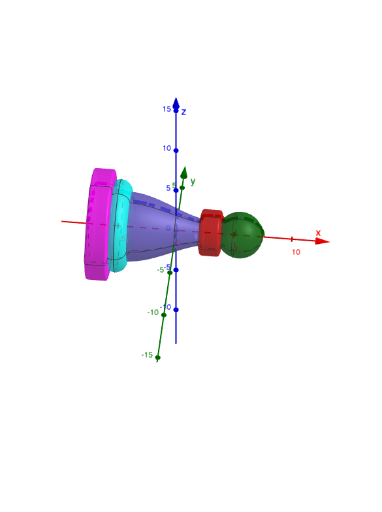
This GeoGebra example demonstrates how to create a 3D “pawn-like” sculpture by defining several function surfaces and then computing their intersection curves/lines to shape the silhouette and internal segmentation. It highlights core ideas such as function-based surface modeling (algebraic and trigonometric-style expressions), surface intersection (Intersect) to carve boundaries, and curve sketching for controlling where parts meet. Construction is driven by the listed commands Surface and Intersect: surfaces corresponding to objects f, g, j, p, q are generated, and intersections with additional controlling quantities (α, d, A, B, a, b, e, l, c) determine the final composite geometry. Several text objects (text1–text5) are used to annotate steps or key parameters. Suitable for high school to early university students studying functions, graphing, and solid geometry, as well as learners interested in mathematical visualization and function art projects.
GeoGebra Commands & Parameters
Surface(q, α, xAxis) → dIntersect(q, j, (2.8215498652276687, 1.940506496484199)) → AIntersect(f, g, (-5.5033072558992115, 3.8641075745306765)) → BSurface(p, α, xAxis) → aSurface(j, α, xAxis) → bSurface(g, α, xAxis) → eSurface(f, α, xAxis) → l
AI Drawing Prompt Reference
Create a 3D sculpture resembling a pawn made from multiple function surfaces. Define surfaces like q, j, p, f, and g, then compute their intersection lines to shape the outline and internal segmentation. These intersections are controlled by parameters such as α, d, A, B, a, b, e, and l. Ensure the final composite geometry is formed by combining these surfaces and intersection lines into a complex three-dimensional structure.
The prompt above was compiled from the original drawing commands and is for reference only.