
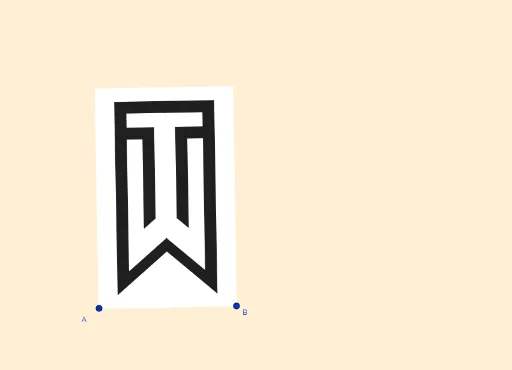
Tiger Woods Logo
Loading the math board and drawing, please wait…
This example demonstrates how to draw the Tiger Woods logo using GeoGebra. Key mathematical concepts include geometry, quadrilaterals, reflection, square, and geometric construction. Commands such as LineBisector, Vector, OrthogonalVector, Line, OrthogonalLine, Intersect, Mirror, and Polygon are used to construct the various parts of the logo. Suitable for middle school and above students to learn geometric construction and transformations.
GeoGebra Commands & Parameters
LineBisector(A, B) → mVector(A, B) → uOrthogonalVector(u) → vLineBisector(A_1, A) → lLineBisector(A_1, A) → nLineBisector(A_1, A) → hLine(A, B) → sOrthogonalLine(D, s) → iIntersect(i, l) → POrthogonalLine(A, s) → bOrthogonalLine(B, u, xOyPlane) → gMirror(i, m) → i'OrthogonalLine(A_1, b) → rIntersect(g, r) → CIntersect(b, l) → OIntersect(m, l) → LMirror(A_1, l) → D_2Mirror(A_1, l) → F_2Mirror(C, l) → C'_1OrthogonalLine(F, b) → fMirror(f, l) → f'Mirror(f, l) → f'_1Intersect(m, f) → MPolygon(A, B, C, A_1) → c1, a_1, b_1, c_1, f_1OrthogonalLine(K, s) → jMirror(j, m) → j'Intersect(b, f') → IOrthogonalLine(J, b) → qOrthogonalLine(R, b) → aOrthogonalLine(S, b) → dOrthogonalLine(T, s) → eOrthogonalLine(E, s) → kLineBisector(L, M) → pIntersect(i, f) → NSegment(N, H) → tLine(G, t) → cIntersect(c, j) → QLineBisector(L, G) → g_1Intersect(k, g_1) → ULine(U, c) → h_1Line(G, c) → i_1Intersect(e, h_1) → VIntersect(d, j) → WIntersect(d, e) → ZIntersect(a, k) → B_1Intersect(j, a) → C_1Intersect(j, q) → D_1Intersect(i, f') → E_1Intersect(m, f') → F_1Intersect(m, q) → G_1Polygon(G, H, V, Z, W, Q, N, E_1, F_1, G_1, D_1, C_1, B_1, U) → polígono1, g_2, u_1, v_1, z_1, w, q_1, h_2, n_1, j_1, k_1, l_1, d_1, m_1, p_1Mirror(G, m) → G'Mirror(H, m) → H'Mirror(N, m) → N'Mirror(E_1, m) → H_1Mirror(F_1, m) → I_1Mirror(G_1, m) → J_1Mirror(D_1, m) → K_1Mirror(C_1, m) → L_1Mirror(B_1, m) → M_1Mirror(U, m) → U'Mirror(V, m) → V'Mirror(Z, m) → Z'Mirror(W, m) → W'Mirror(Q, m) → Q'Polygon(G', H', V', Z', W', Q', N', H_1, I_1, J_1, K_1, L_1, M_1, U') → polígono1', g', u', v', z', w', q', h', n', r_1, s_1, t_1, f_2, i_2, j_2
AI Drawing Prompt Reference
Draw a geometric logo resembling a tiger's head, incorporating multiple quadrilaterals, angle bisectors, and reflections. Start by creating two line segments and their perpendicular bisectors, then use vectors to establish perpendicular directions. Determine key points through intersections and reflections, connect these points to form several quadrilaterals, and finally use a symmetry line to complete the mirror reflections, resulting in the logo's symmetrical structure.
The prompt above was compiled from the original drawing commands and is for reference only.