
Sunlight Refraction in a Prism
Loading the math board and drawing, please wait…
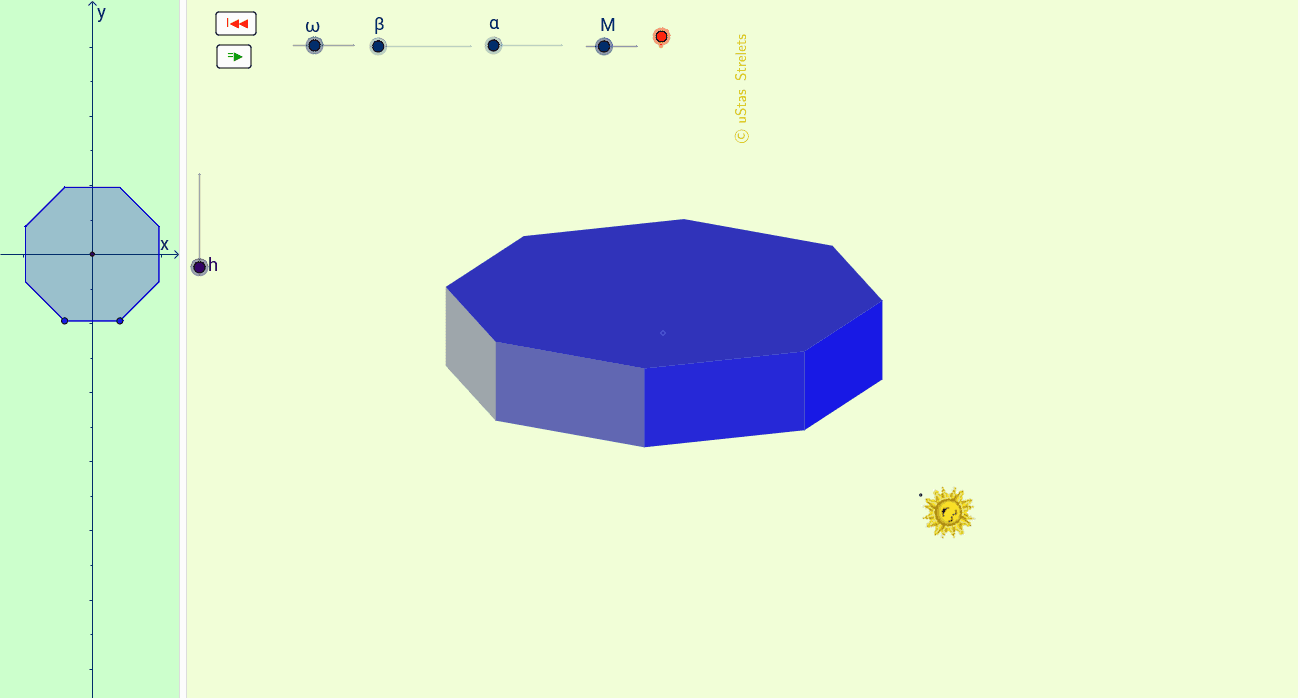
This example demonstrates the refraction and dispersion of sunlight passing through a prism, involving geometric optics, trigonometry, polygon construction, rotation, and continuity. It utilizes commands like RotateText, Polygon, Midpoint, Corner, Line, Point, OrthogonalLine, Circle, Intersect from GeoGebra for construction. Suitable for high school physics and mathematics education to visualize the principles of light dispersion and geometric transformations.
GeoGebra Commands & Parameters
RotateText("\copyright uStas\;\;Strelets", 90*°) → надпись24Polygon(C_2, D_2, 8) → многоугольник1, c, F_2, G_2, H, I, J_2, d, a, b, e, f, g, h_1, E_2Midpoint(C_2, G_2) → D_3Polygon(B, B_1, C_1, C) → многоугольник2, b_1, b_2, c_1, c_2Polygon(C, C_1, D_1, D) → многоугольник3, c_3, c_4, d_1, d_2Polygon(D, D_1, E_1, E) → многоугольник4, d_3, d_4, e_1, e_2Polygon(E, E_1, F_1, F) → многоугольник5, e_3, e_4, f_1, f_2Polygon(F, F_1, G_1, G) → многоугольник6, f_3, f_4, g_1, g_2Polygon(G, G_1, J_1, J) → многоугольник7, g_3, g_4, j_1, jPolygon(J, J_1, A_1, A) → многоугольник8, j_2, j_3, a_1, a_2Polygon(B, A, A_1, B_1) → многоугольник9, b_3, a_3, a_4, b_4Polygon(C_1, B_1, A_1, J_1, G_1, F_1, E_1, D_1) → многоугольник10, c_5, b_5, a_5, j_4, g_5, f_5, e_5, d_5Polygon(D, E, F, G, J, A, B, C) → многоугольник11, d_6, e_6, f_6, g_6, j_5, a_6, b_6, c_6Corner(4) → PCorner(2) → QLine(P, Q) → lLine(O, l) → pPoint(p) → ROrthogonalLine(R, p) → qPoint(q) → SCircle(R, S) → rIntersect(r, q) → T, UPoint(p) → KOrthogonalLine(K, p) → sPoint(s) → MCircle(K, M) → tIntersect(t, s) → V, WPolygon(C_1, B_1, A_1, J_1, G_1, F_1, E_1, D_1) → многоугольник12, c_7, b_7, a_7, j_6, g_7, f_7, e_7, d_7Polygon(C_1, B_1, A_1, J_1, G_1, F_1, E_1, D_1) → многоугольник13, c_8, b_8, a_8, j_7, g_8, f_8, e_8, d_8
AI Drawing Prompt Reference
Draw a prism to demonstrate the refraction and dispersion of sunlight passing through it. Start by constructing an octagon as the prism, then draw a line from one vertex to represent the incident light, and create a perpendicular line to it. Based on these, draw circles and find their intersections, then connect the key points with polygons to form the light path and dispersion effects.
The prompt above was compiled from the original drawing commands and is for reference only.