
Square and Hexagon
Loading the math board and drawing, please wait…
In collections
Cutting up squares
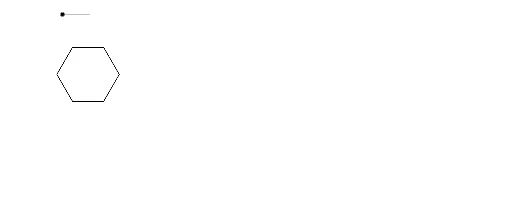
This example demonstrates the geometric construction of a square and a hexagon. It involves the basic properties of regular polygons. Using GeoGebra commands such as Polygon, Rotate, and Translate, you can dynamically construct a square and a hexagon. Suitable for students at the middle school level and above to learn geometric construction and the basic properties of polygons.
GeoGebra Commands & Parameters
OrthogonalLine(A, yAxis) → bPoint(b) → BPolygon(A, B, 6) → poly1, a_1, F, b_1, c, d, e, f, C, D, ESegment(F, C) → pMidpoint(b_1) → NRotate(A, 180°, N) → A'Rotate(F, 180°, N) → F'Rotate(C, 180°, N) → C'Rotate(B, 180°, N) → B'Vector(A, F') → wTranslate(A, w) → A'_1Translate(F, w) → F'_1Translate(C, w) → C'_1Translate(B, w) → B'_1Translate(A'_1, w) → OTranslate(F'_1, w) → PTranslate(C'_1, w) → QTranslate(B'_1, w) → RTranslate(A', w) → A''Translate(F', w) → F''Translate(C', w) → C''Translate(B', w) → B''Translate(A'', w) → A'''Translate(F'', w) → F'''Translate(C'', w) → C'''Translate(B'', w) → B'''Translate(O, w) → O'Translate(P, w) → P'Translate(Q, w) → Q'Translate(R, w) → R'Intersect(e, f) → SIntersect(c, d) → TIntersect(c, e) → UIntersect(d, e) → VIntersect(c, b_1) → WPolygon(S, W, B, A) → poly2, s, w_1, b_2, a_2Midpoint(w_1) → ZRotate(S, 180°, Z) → S'Rotate(W, 180°, Z) → W'Rotate(B, 180°, Z) → B'_2Rotate(A, 180°, Z) → A'_2Polygon(S', W', B'_2, A'_2) → poly2', s', w', b'_2, a'_2Midpoint(a'_2) → A_1Rotate(S', 180°, A_1) → S''Rotate(W', 180°, A_1) → W''Rotate(B'_2, 180°, A_1) → B_1Rotate(A'_2, 180°, A_1) → C_1Polygon(S'', W'', B_1, C_1) → poly2'', s'', w'', b_3, c_1Midpoint(w'') → D_1Rotate(S'', 180°, D_1) → S'''Rotate(W'', 180°, D_1) → W'''Rotate(B_1, 180°, D_1) → E_1Rotate(C_1, 180°, D_1) → F_1Polygon(S''', W''', E_1, F_1) → poly2''', s''', w''', e_1, f_1Midpoint(f_1) → G_1Rotate(S''', 180°, G_1) → H_1Rotate(W''', 180°, G_1) → I_1Rotate(E_1, 180°, G_1) → J_1Rotate(F_1, 180°, G_1) → K_1Intersect(w_1, w') → R_1Intersect(w_1, w') → S_1Intersect(a'_2, b'_2) → V_1Intersect(a'_2, s') → W_1Intersect(w'', s'') → B_2Intersect(b_2, w_1) → D_2Intersect(b_3, w'') → E_2Intersect(w_1, s) → F_2Line(D_2, G) → hOrthogonalLine(G, h) → iCircle(G, sqrt(poly1)) → kIntersect(k, i) → H, IIntersect(k, h) → J, KOrthogonalLine(J, h) → gOrthogonalLine(K, h) → jOrthogonalLine(H, i) → mCircle(H, sqrt(poly1)) → qIntersect(q, i, 2) → N_1OrthogonalLine(N_1, i) → g_1Intersect(g, g_1) → O_1Circle(O_1, sqrt(poly1)) → p_1Intersect(p_1, g, 1) → P_1Intersect(p_1, g_1, 2) → Q_1OrthogonalLine(P_1, g) → l_1OrthogonalLine(Q_1, g_1) → m_1Intersect(h, b'_2) → T_1Intersect(h, m_1) → U_1Intersect(m_1, s') → Z_1Intersect(g, s'') → A_2Intersect(h, g) → C_2Intersect(m, m_1) → G_2Intersect(m, g) → H_2Polygon(E_2, B_2, A_2) → poly4, a_3, e_2, b_4Polygon(A_2, E_2, W_1, V_1) → poly5, a_4, e_3, w_2, v_1Polygon(C_2, A_2, T_1) → poly6, t_1, c_2, a_5Polygon(W_1, V_1, T_1, U_1, Z_1) → poly7, w_3, v_2, t_2, u_1, z_1Intersect(m, i) → I_2Polygon(I_2, B_2, E_2) → poly8, e_4, i_2, b_5Vector(I_2, E_2) → uTranslate(E_2, u) → J_2Translate(B_2, u) → K_2Translate(A_2, u) → L_2Polygon(J_2, K_2, L_2) → poly4', l_2, j_2, k_2Translate(I_2, u) → M_2Translate(B_2, u) → N_2Translate(E_2, u) → O_2Polygon(M_2, N_2, O_2) → poly8', o_2, m_2, n_2Vector(W_1, B_2) → vTranslate(W_1, v) → P_2Translate(V_1, v) → Q_2Translate(T_1, v) → R_2Translate(U_1, v) → S_2Translate(Z_1, v) → T_2Polygon(P_2, Q_2, R_2, S_2, T_2) → poly7', p_2, q_2, r_2, s_2, t_3Vector(C_2, S_2) → zTranslate(C_2, z) → U_2Translate(A_2, z) → V_2Translate(T_1, z) → W_2Polygon(U_2, V_2, W_2) → poly6', w_4, u_2, v_3Vector(I_2, R_2) → z_2Translate(I_2, z_2) → Z_2Translate(B_2, z_2) → A_3Translate(E_2, z_2) → B_3Polygon(Z_2, A_3, B_3) → poly8'_1, b_6, z_3, a_6Intersect(h, m_1) → LIntersect(h, w_1) → MIntersect(m_1, s') → L_1Polygon(L, L_1, M) → poly3, m_3, l_3, l_4