
Cosine Area Function via Riemann Sums
Loading the math board and drawing, please wait…
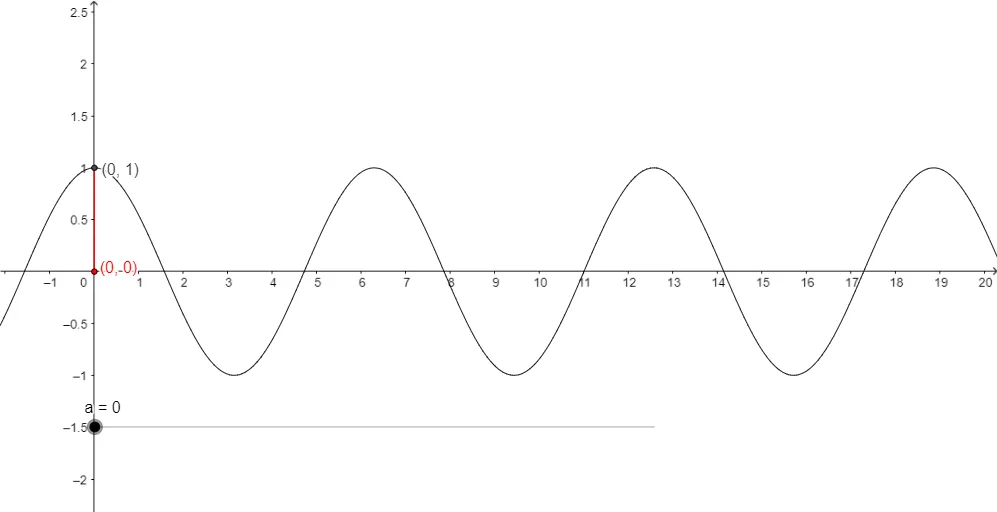
This example visualizes how the “cosine area function” evolves by stacking piecewise rectangles under the cosine curve (on a chosen interval), illustrating how cumulative area depends on the moving upper bound. It connects the graphical approximation of an integral with Riemann sums—specifically upper and lower sums—to show how the true integral is approached as the partition becomes finer. Key math ideas include the cosine function, piecewise step approximations, upper/lower sums or general Riemann sum concepts, and the interpretation of area as an accumulated arithmetic mean–like quantity. In GeoGebra, the construction uses the Integral command with objects representing the function f, interval endpoints a and b, and partition-related sets P and Q (points/subinterval ranges) to compute the running integral/area value, producing the area function from which the geometric behavior can be read directly. Suitable for late secondary school through first-year calculus, particularly for teaching the geometric meaning of integration and numerical approximation.
GeoGebra Commands & Parameters
Integral(f, 0, a) → b
AI Drawing Prompt Reference
Draw a graph illustrating the cosine area function. On a chosen interval, plot the cosine curve and stack piecewise rectangles beneath it to represent Riemann sums. Show how the cumulative area changes as the upper bound moves, and highlight the visual difference between upper and lower Riemann sums. The graph should clearly demonstrate how the area function approaches the true integral through piecewise approximation and cumulative area.
The prompt above was compiled from the original drawing commands and is for reference only.