
Sphere from Circles: A Geometric Construction
Loading the math board and drawing, please wait…
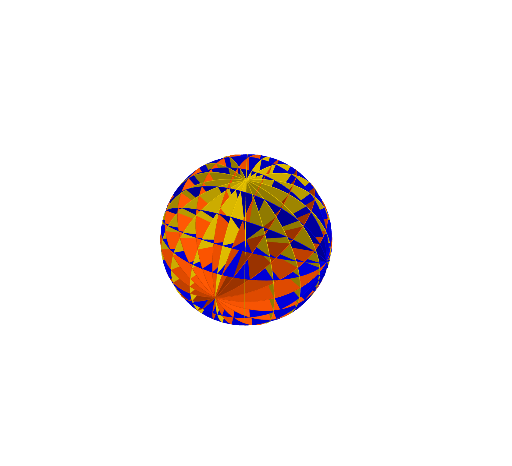
This example demonstrates how to build a sphere in a 3D setting using geometric relationships between circles, focusing on how circular cross-sections (and their constraints) determine the characteristic shape of a spherical surface. Key ideas include solid-geometry reasoning via cross-sections/intersections and the correspondence between circles in constructed planes and the resulting spherical form. The construction starts by defining essential points and circles, then applying geometric constraints to control their relative positions. A parameterized process driven by a Sequence is used to sample/construct the needed intermediate geometric objects so the collection of circles’ effects assembles the sphere-like profile. The GeoGebra construction summary indicates the main commands and objects: Point, Circle, Sequence, producing elements such as A, B, c, l2, d, l1, and l3 to represent the points, circles, and constraint/auxiliary lines used throughout the build. Suitable for secondary school enrichment through undergraduate geometry modeling, especially for lessons on solid geometry, geometric construction, and interactive graphing.
GeoGebra Commands & Parameters
Point(yAxis) → APoint(yAxis) → BCircle(A, B) → cSequence(Rotate[c, (i * 20°), xAxis], i, 1, 18) → l2Circle(A, 1, xAxis) → dSequence(Rotate[c, (i * 20°), yAxis], i, 1, 18) → l1Sequence(Rotate[d, (i * 20°), zAxis], i, 1, 18) → l3
AI Drawing Prompt Reference
Draw a sphere by constructing a series of circles in different planes. First, create two points A and B on the y-axis, then draw a circle c with A and B as its diameter. Next, rotate circle c 18 times around the x-axis, each time by 20 degrees, to get a series of circles l2. Then, draw a circle d with A as its center and the x-axis as its diameter, and rotate circle d 18 times around the y-axis, each time by 20 degrees, to get a series of circles l1. Finally, rotate circle d 18 times around the z-axis, each time by 20 degrees, to get a series of circles l3. These circles together form the outline of the sphere.
The prompt above was compiled from the original drawing commands and is for reference only.