
Solid of Revolution Generator
Loading the math board and drawing, please wait…
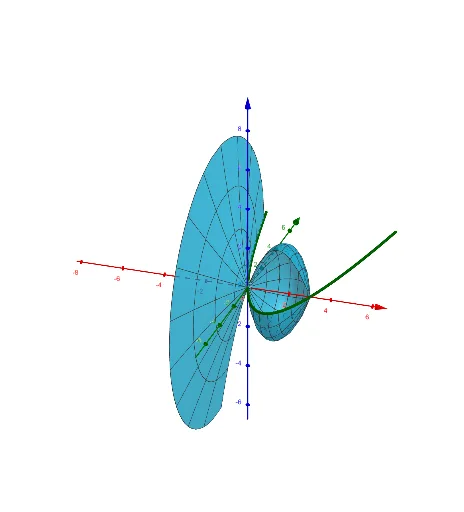
This example demonstrates the generation of solids of revolution by rotating functions around the x-axis. Key math concepts include definite integrals, function graphs, and solid geometry. Construction highlights involve using the Surface command to create the 3D shape, Textfield and Integral for displaying the integral formula, and InputBox1 and Slider for parameter input and dynamic manipulation. Suitable for high school and above students to learn and visualize the calculation of volumes of solids of revolution in calculus.
GeoGebra Commands & Parameters
Surface(v, (f(v) * cos(u)), (f(v) * sin(u)), v, a, b, u, 0, rotate) → cTextfield(f) → InputBox1Integral(f, a, b) → d
AI Drawing Prompt Reference
Create a solid of revolution by rotating the function f(x) around the x-axis. First, input the function f(x), then set the integration interval [a, b], calculate and display the volume of the solid within this interval. Finally, use the Surface command to generate the 3D model of the solid.
The prompt above was compiled from the original drawing commands and is for reference only.