
Volume of Revolution of a Bottle
Loading the math board and drawing, please wait…
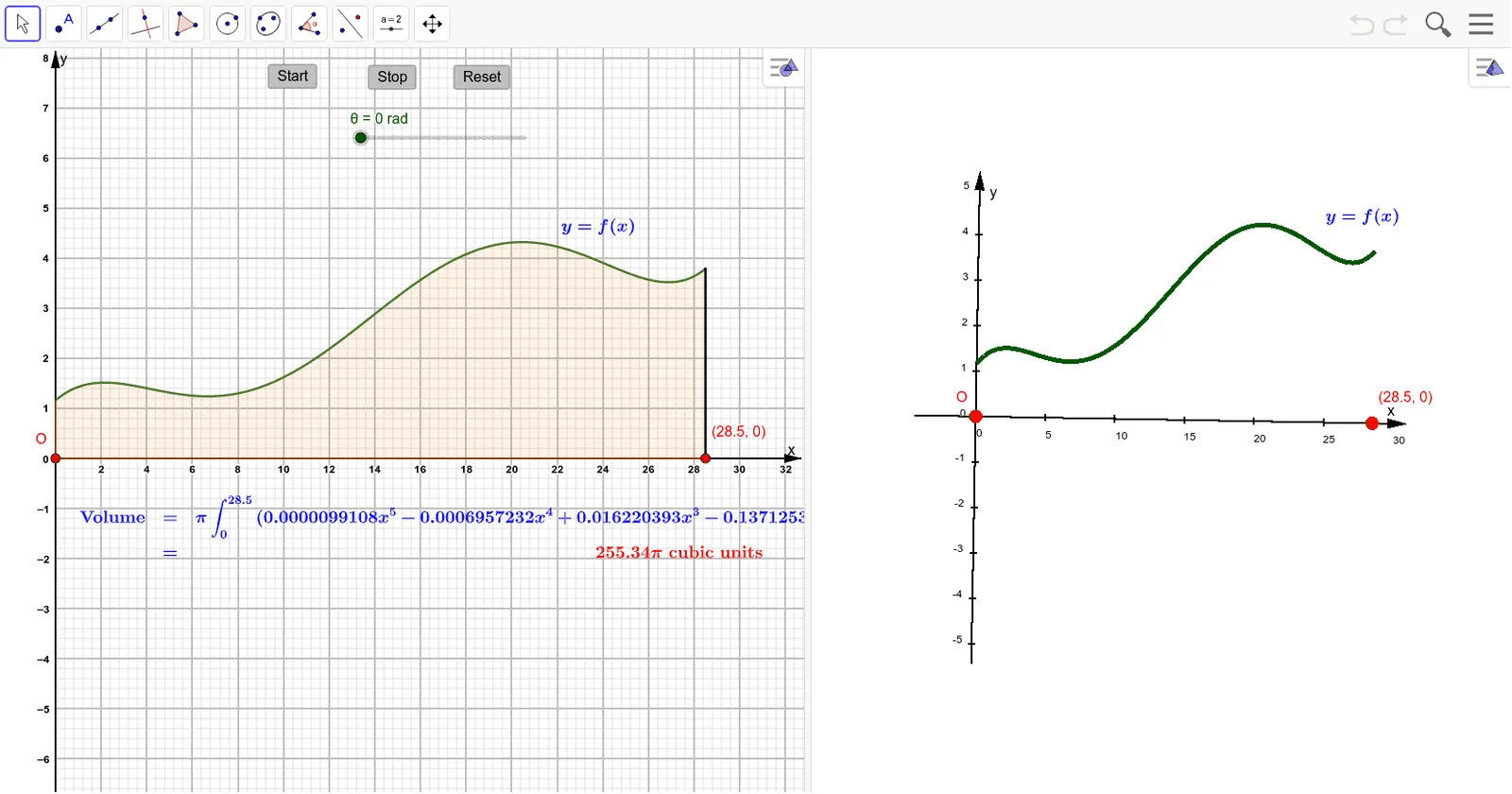
This example demonstrates how to generate a 3D bottle-shaped solid of revolution by rotating a 2D figure and calculate its volume. Key math concepts include volume calculation of solids of revolution, integration, function graphing, and 3D shape representation. GeoGebra commands used are Surface, Integral, Segment, along with objects like θ, f, a, b, A, B, g, c, text elements, and buttons for parameter control and visualization. Suitable for high school and above students learning calculus and solid geometry to understand volume calculation and 3D shape construction.
GeoGebra Commands & Parameters
Surface(f, θ, xAxis) → aIntegral(f(x)^(2), 0, 28.5) → bSegment(A, B) → gIntegral(f, 0, 28.5) → c
AI Drawing Prompt Reference
Create a 3D bottle-shaped solid of revolution by rotating a 2D curve around a vertical axis. The curve starts near the origin, expands outward, then narrows inward, forming the bottle profile. In 3D space, the surface is smooth and shows the bottle's volume. In a 2D view, display the original curve and shade the area between it and the horizontal axis. Also show two numerical results: one for the volume of revolution (an integral value) and one for the area under the curve. The overall scene includes the 3D solid, the 2D curve, coordinate axes, and numeric labels, illustrating the volume calculation.
The prompt above was compiled from the original drawing commands and is for reference only.