
Normal & InverseNormal Calculator Visual Demonstration
Loading the math board and drawing, please wait…
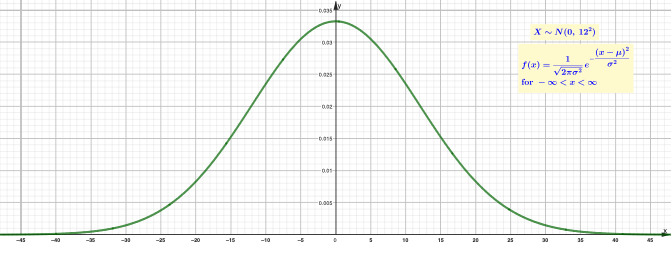
This example demonstrates how to compute and visualize results for the Normal distribution (Normal) and how to find the corresponding quantile via the InverseNormal function given a target probability. The key mathematical ideas are probability computation for a normal model, the relationship between distribution functions and quantiles, and the inverse-function concept used to solve “given probability, find the value.” In construction, GeoGebra’s Integral, Normal, and InverseNormal commands are used to link area/probability interpretation with numerical integration and to map inputs to outputs. The setup includes multiple parameter variables (e.g., a, b, c, …) and text objects (text1–text13) to drive inputs and present computed values clearly. Suitable for high school to introductory college courses in probability & statistics, and ideal for interactive classroom demonstrations and self-study.
GeoGebra Commands & Parameters
Integral(f, -1000, e) → gIntegral(f, h, 1000) → iIntegral(f, e, h) → jInverseNormal(a, b, n) → oIntegral(f, -1000, o) → pInverseNormal(a, b, 1 - r) → qIntegral(f, q, 1000) → sNormal(a, b, h, true) → vNormal(a, b, e, true) → a_1
AI Drawing Prompt Reference
Create a visualization demonstrating the relationship between a Normal distribution’s probabilities and its quantiles. Include parameters for the Normal model (e.g., a and b) and probability inputs (e.g., n, r, e, h). Show probability areas under the curve using numerical integration over specified intervals, then compute the corresponding quantile points from target probabilities and mark these points on the same axes. Display how the quantile changes when using the complement probability (1 − r) by drawing the associated integration regions. Finally, add the Normal curve evaluations/annotations that correspond to the key computed inputs so the mapped area/probability and quantile outputs can be compared interactively.
The prompt above was compiled from the original drawing commands and is for reference only.