
Pizza and Proportions of Circle Area
Loading the math board and drawing, please wait…
In collections
Circles
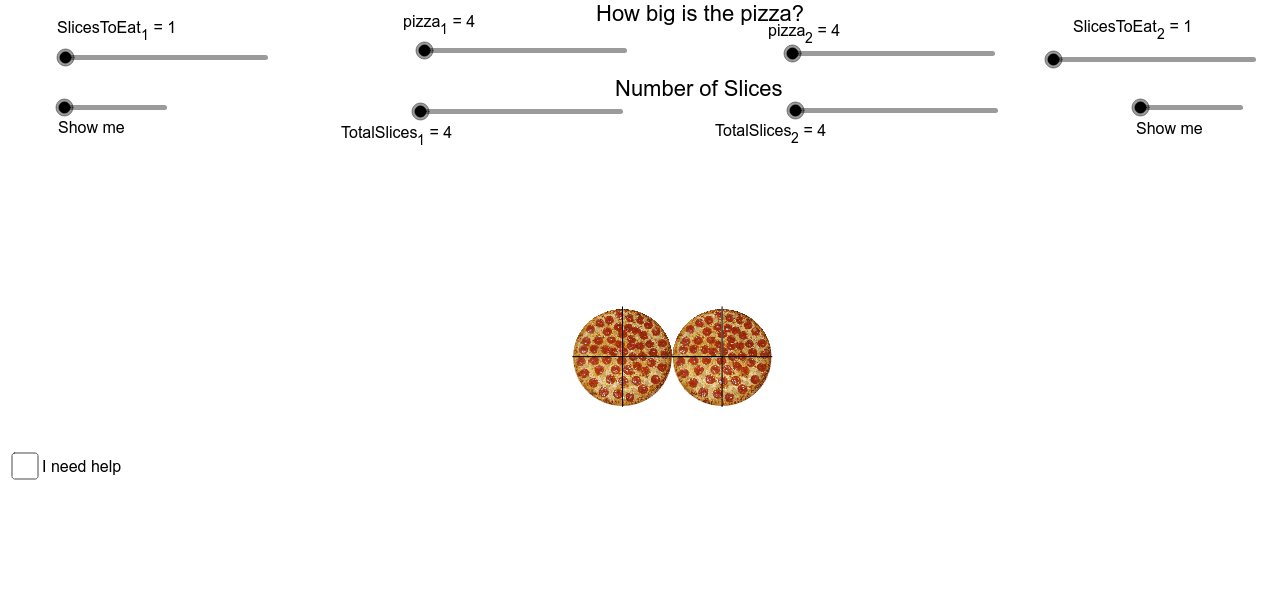
This example demonstrates how to visualize and calculate the proportions of circle area using pizza slices. It involves core math concepts like circle area, ratios, and geometric segmentation. Constructed using GeoGebra commands such as Rotate, Polygon, Segment, and CircleSector to create pizza slices and shapes. Suitable for middle school and above, illustrating real-world applications of ratios and area calculations.
GeoGebra Commands & Parameters
Rotate(E, (-((360 / TotalSlices_1)°)), F) → E'Polygon(E', E, TotalSlices_1) → poly1, a, j, k, l, H, I, J, K, L, M, N, b, O, P, Q, c, d, e, f, g, h, iSegment(F, E') → mSegment(F, I) → nSegment(F, H) → pSegment(F, E) → qSegment(F, Q) → rSegment(F, P) → sSegment(F, O) → tSegment(F, N) → a_1Segment(F, M) → b_1Segment(F, L) → c_1Segment(F, K) → d_1Segment(F, J) → e_1Rotate(E, (360 / TotalSlices_2)°, G) → E'_1Polygon(E, E'_1, TotalSlices_2) → poly2, f_1, t_1, a_2, b_2, R, S, T, U, V, W, Z, g_1, A_1, B_1, C_1, h_1, i_1, n_1, p_1, q_1, r_2, s_1Segment(G, E) → j_1Segment(G, E'_1) → k_1Segment(G, R) → l_1Segment(G, S) → m_1Segment(G, T) → c_2Segment(G, U) → d_2Segment(G, V) → e_2Segment(G, W) → f_2Segment(G, Z) → g_2Segment(G, A_1) → h_2Segment(G, B_1) → i_2Segment(G, C_1) → j_2Segment(G, E) → k_2Rotate(E, ((360 / TotalSlices_1 * SlicesToEat_1))°, F) → E'_2CircleSector(F, E'_2, E) → p_2Rotate(E, (-(((360 / TotalSlices_2 * SlicesToEat_2))°)), G) → E'_3CircleSector(G, E, E'_3) → q_2
AI Drawing Prompt Reference
Draw a circular pizza divided into equal sector slices based on two different total slice counts. For the first set, draw radial lines from the center to equally spaced points on the circumference, creating a full division. For the second set, do the same with a different number of slices. Use distinct colors or shading to differentiate the two groups, and highlight a subset of slices in each group (representing eaten portions) as filled sectors. Show the two circular divisions overlapping or side by side to illustrate area proportions.
The prompt above was compiled from the original drawing commands and is for reference only.