
Pentagon Rotation Puzzle by David Wees
Loading the math board and drawing, please wait…
In collections
Transformation Puzzles
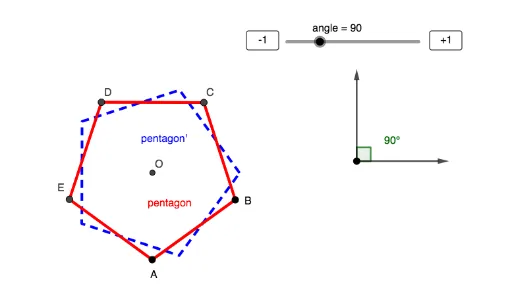
This example demonstrates how to rotate a pentagon around a point. Key mathematical concepts include rotation and geometric transformations. Using GeoGebra commands such as Circle, Angle, Polygon, Vector, and Rotate, the construction of the pentagon's rotation effect is achieved. Suitable for middle school and above students or teachers.
GeoGebra Commands & Parameters
Circle(G, 2) → cAngle(I, G, F) → angle_1Polygon(A, B, 5) → pentagon, f, g, h, i, j, C, D, EVector(G, F) → uVector(G, I) → vCircle(D, C, B) → dTangent(B, d) → k,OrthogonalLine(B, k) → lTangent(C, d) → m,OrthogonalLine(C, m) → nIntersect(l, n) → ORotate(pentagon, (angle / 180 * π), O) → pentagon'
AI Drawing Prompt Reference
Draw a pentagon and rotate it around a point. First, draw a circle, then create an angle, and use five vertices to draw the pentagon. Define a vector and rotate the pentagon around it to rotate it around the circle's center.
The prompt above was compiled from the original drawing commands and is for reference only.