
Missing Square Dissection
Loading the math board and drawing, please wait…
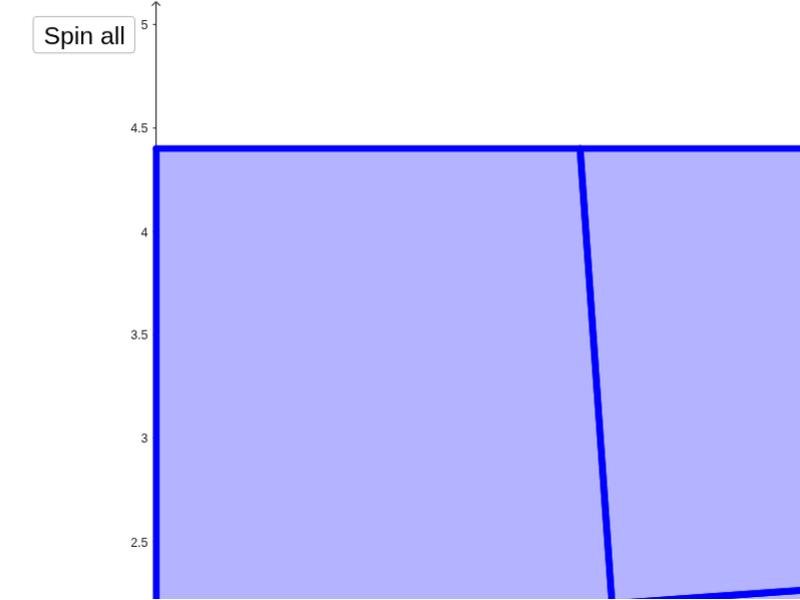
This example demonstrates a geometric dissection puzzle where a seemingly perfect square is split into pieces that, when rearranged, leave a missing area. The core math concepts involve geometric transformations, area conservation, and rotation. It uses GeoGebra commands like Intersect, Point, Polygon, Midpoint, OrthogonalLine, Rotate, Circle, Segment, and LineBisector to construct the puzzle. Suitable for high school mathematics to explore geometric transformations and area invariance.
GeoGebra Commands & Parameters
Intersect(xAxis, yAxis) → APoint(xAxis) → BPolygon(A, B, 4) → poly1, a_1, b_2, c_3, d_3, C, DMidpoint(D, B) → EOrthogonalLine(E, xAxis) → e_5Rotate(e_5, a, E) → e'Intersect(e', a_1) → HOrthogonalLine(E, e') → fIntersect(f, b_2) → IPolygon(H, B, I, E) → poly3, h_1, b_1, i, e_2Intersect(f, d_3) → GPolygon(A, H, E, G) → poly2, a_2, h, e_1, gCircle(A, e_1) → pIntersect(p, a_2, 1) → JCircle(J, e_2) → rIntersect(r, xAxis, 2) → LCircle(L, (2 * e_2)) → k_1OrthogonalLine(L, xAxis) → j_1Intersect(k_1, j_1, 2) → NOrthogonalLine(N, j_1) → l_1Intersect(l_1, yAxis) → OSegment(E, O) → s_1LineBisector(s_1) → c_2Circle(O, e_2) → p_1Intersect(p_1, l_1, 1) → PSegment(G, P) → t_1LineBisector(t_1) → d_2Intersect(c_2, d_2) → RSegment(E, N) → m_1LineBisector(m_1) → r_1Segment(I, P) → n_1LineBisector(n_1) → q_1Intersect(q_1, r_1) → QSegment(E, L) → sLineBisector(s) → tSegment(I, J) → nLineBisector(n) → qIntersect(q, t) → MIntersect(e', c_3) → FPolygon(I, C, F, E) → poly4, i_1, c_1, f_1, e_3Polygon(F, D, G, E) → poly5, f_2, d_1, g_1, e_4Segment(A, E) → jLineBisector(j) → kSegment(G, J) → lLineBisector(l) → mIntersect(k, m) → KRotate(A, b, K) → A'Rotate(H, b, K) → H'Rotate(E, b, K) → E'Rotate(G, b, K) → G'Polygon(A', H', E', G') → poly2', a', h', e'_1, g'Rotate(B, c, M) → B'Rotate(I, c, M) → I'Rotate(E, c, M) → E'_1Rotate(H, c, M) → H'_1Polygon(H'_1, B', I', E'_1) → poly3', h'_1, b', i', e'_2Rotate(C, d, Q) → C'Rotate(F, d, Q) → F'Rotate(E, d, Q) → E'_2Rotate(I, d, Q) → I'_1Polygon(I'_1, C', F', E'_2) → poly4', i'_1, c', f', e'_3Rotate(F, e, R) → F'_1Rotate(G, e, R) → G'_1Rotate(E, e, R) → E'_3Rotate(D, e, R) → D'Polygon(F'_1, D', G'_1, E'_3) → poly5', f'_1, d', g'_1, e'_4
AI Drawing Prompt Reference
Draw a seemingly perfect square split into pieces that, when rearranged, leave a missing area. Show key geometric transformations like rotation and symmetry to emphasize area conservation. Start with a square and coordinate axes, then construct several irregular shapes using rotations, midpoints, and perpendicular lines. Rearrange the pieces to highlight the missing area.
The prompt above was compiled from the original drawing commands and is for reference only.