
Slowplots - Click the Target, Shoot the Goal
Loading the math board and drawing, please wait…
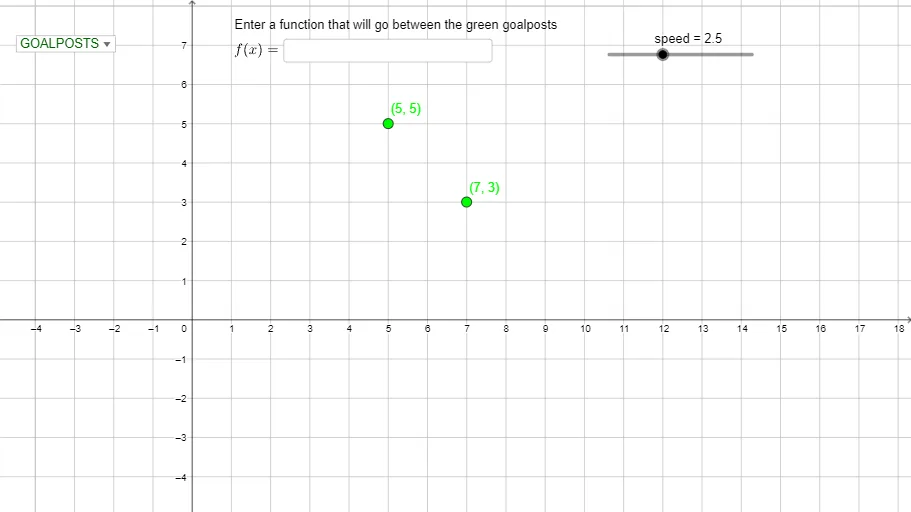
This example demonstrates the process of slow plotting function graphs. Core mathematical concepts include function graphs, quadratic functions, coordinate systems, and loci. Using GeoGebra commands such as Point, Ray, Textfield, Segment, etc., dynamic function graphing can be achieved. Suitable for high school mathematics education and learning, especially for visualizing function graphs in coordinate geometry.
GeoGebra Commands & Parameters
Point(xAxis) → BRay(B, (100, 0)) → hPoint(yAxis) → DTextfield(f) → InputBox1SelectedElement(qtype) → text2Point(xAxis) → CSelectedIndex(qtype) → dSegment(F, G) → iCircle(D, 0.2) → yintcircleIntersect(g, yintcircle, 1) → ICircle(B, 0.2) → r1circleCircle(C, 0.2) → r2circleIntersect(g, r1circle, 1) → JIntersect(g, r2circle, 1) → KCircle(A, 0.2) → pcircleIntersect(g, pcircle, 1) → LIntersect(g, i, F) → HIf(H ≟ F ∨ H ≟ G, true, false) → postIf(post, "Hit the post!", "Goal!") → scoretext
AI Drawing Prompt Reference
Draw a coordinate plane with a function graph. Place two points on the x-axis, one as a starting point and another as an endpoint. From the starting point, draw a ray extending to the right. Mark a point on the y-axis and draw a small circle centered there. On the function curve, select several points and draw small circles centered at these points and at the x-axis points. Mark the intersections of the function curve with these small circles. Connect two points on the function curve with a segment, and determine whether this segment passes through a specific intersection point. Display text indicating either "Goal!" or "Hit the post!" based on the result. The overall scene shows the interaction between the function graph and geometric elements.
The prompt above was compiled from the original drawing commands and is for reference only.