
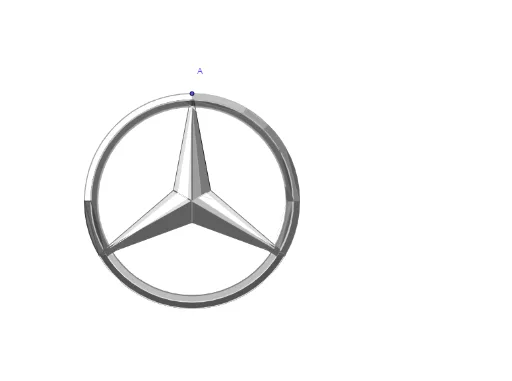
Mathematical Construction of the Mercedes Logo
Loading the math board and drawing, please wait…
This example demonstrates how to construct the Mercedes-Benz logo using 2D vectors and geometric transformations. Key math concepts include vectors, circles, ellipses, polygons, rotation, reflection, midpoints, and angle bisectors. Construction highlights involve commands like Circle, Vector, Line, Rotate, LineBisector, Polygon, Mirror, Segment, Midpoint, AngularBisector, Intersect, CircleArc, and CircleSector in GeoGebra. Suitable for high school mathematics education to showcase practical applications of geometric transformations and figure construction.
GeoGebra Commands & Parameters
Circle(O, A) → cVector(O, A) → uCircle(O, B) → dLine(A, O) → fRotate(B, 120°, O) → B'Rotate(B, (-(120°)), O) → B'_1Rotate(B, 1°, O) → B'_2Rotate(B, -1°, O) → B'_3Rotate(B', 1°, O) → B''Rotate(B', -1°, O) → B''_1Rotate(B'_1, 1°, O) → CRotate(B'_1, -1°, O) → DLineBisector(B, B') → gLineBisector(B, B'_1) → hRotate(E, 120°, O) → E'Rotate(E, (-(120°)), O) → E'_1Polygon(E'_1, O, B, B'_2) → c1, e'_1, o, b, b'_2Mirror(E'_1, g) → FMirror(O, g) → O'Mirror(B, g) → B'_4Mirror(B'_2, g) → GPolygon(F, O', B'_4, G) → c1', f_1, o', b'_4, g_1Mirror(F, f) → F'Mirror(O', f) → O''Mirror(B'_4, f) → HMirror(G, f) → G'Polygon(F', O'', H, G') → c1'', f', o'', h_1, g'Polygon(B'_3, B, O, E') → c2, b'_3, b_1, o_1, e'Mirror(B'', f) → B'''Mirror(B', f) → B''_2Mirror(O, f) → O'_1Mirror(E, f) → E'_2Segment(O, E) → iSegment(O, F') → jSegment(O, F) → kCircle(O, I) → pMidpoint(F, O) → JMidpoint(F, J) → KMidpoint(J, O) → LPolygon(I, K, L) → t1, l, i_1, k_1Mirror(I, g) → I'Mirror(K, g) → K'Mirror(L, g) → L'Polygon(I', K', L') → t1', l', i', k'Mirror(I', f) → I''Mirror(K', f) → K''Mirror(L', f) → L''Polygon(I'', K'', L'') → t1'', l'', i'', k''Midpoint(O, F') → MPolygon(I, O, M) → t2, m, i_2, o_3AngularBisector(F', O, B'_1) → nIntersect(d, n) → N, PMirror(O, o_3) → O'_2Mirror(M, o_3) → M'Segment(O'_2, M') → j_1Intersect(p, n) → Q, RCircleArc(O, B, B') → qCircleArc(O, I, I') → rCircleArc(O, I, B') → sRotate(B, 4°, O) → B'_5CircleArc(O, P, B'_5) → tCircleArc(O, R, I) → e_1CircleArc(O, R, I) → p_1CircleArc(O, P, B') → q_1Intersect(c, n) → G_1, G_2Intersect(c, h) → U, VIntersect(c, f) → W, ZAngularBisector(U, O, Z) → l_1Intersect(c, l_1) → A_1, B_1AngularBisector(U, O, B_1) → m_1Intersect(c, m_1) → C_1, D_1Intersect(c, g) → E_1, F_1CircleArc(O, U, B'_1) → c_1CircleArc(O, B', B'_1) → d_1CircleArc(O, I', I'') → r_1CircleArc(O, U, F_1) → s_1CircleArc(O, I', I'') → t_1CircleArc(O, G_1, B') → c_2Polygon(G_1, N, B', U) → c4, n_1, n_2, a_1, u_1CircleArc(O, F_1, G_2) → d_2Polygon(G_2, P, B'_1, F_1) → c5, g_2, p_2, b'_1, f_2CircleArc(O, B'_1, P) → e_2CircleArc(O, I'', R) → k_2CircleArc(O, I'', R) → q_2CircleArc(O, G_2, V) → s_2Intersect(d, t, 1) → TIntersect(d, h) → I_1, J_1Polygon(V, J_1, T, G_2) → c7, v, l_2, t_2, m_2CircleArc(O, V, C_1) → c_3Intersect(d, m_1) → K_1, L_1Polygon(C_1, K_1, J_1, V) → c8, a_2, b_2, f_3, v_1Intersect(d, l_1) → S, H_1Polygon(A_1, S, K_1, C_1) → c9, g_3, s_3, h_3, i_3CircleArc(O, A_1, A) → d_3Polygon(A, A_1, S, B) → c10, a_3, j_3, s_4, b_3Rotate(P, 8°, O) → P'Rotate(R, 8°, O) → R'Rotate(I'', (-(4°)), O'') → I'''Line(O'', B'') → eIntersect(c, e) → M_1, N_1Rotate(N_1, -1°, O) → O_1Polygon(O_1, N_1, E, O) → c3, j_2, k_3, e_3, o_2Rotate(B'', 2°, O) → B'''_1CircleSector(O, B''_1, B'''_1) → q_3Mirror(q_3, f) → t_3Mirror(O_1, f) → P_1Mirror(N_1, f) → Q_1Mirror(E, f) → E'_3Mirror(O, f) → O'_3Polygon(P_1, Q_1, E'_3, O'_3) → c3', l_3, m_3, e'_3, o'_3Polygon(R, G_2, B'_1, I'') → c6, r_2, h_2, n_3, p_3CircleArc(O, I'', R) → c_4Segment(I, R) → r_3Vector(O, F') → wIntersect(c_4, n_3, 1) → S_1Polygon(R_1, O, S_1) → t3, f_4, g_4, o_4Polygon(R, P, R') → t4, r', r_4, p_4CircleArc(O, S_1, R) → d_4Intersect(r', r_4) → T_1CircleArc(O, C, T_1) → e_4