
Gucci Logo Geometric Construction
Loading the math board and drawing, please wait…
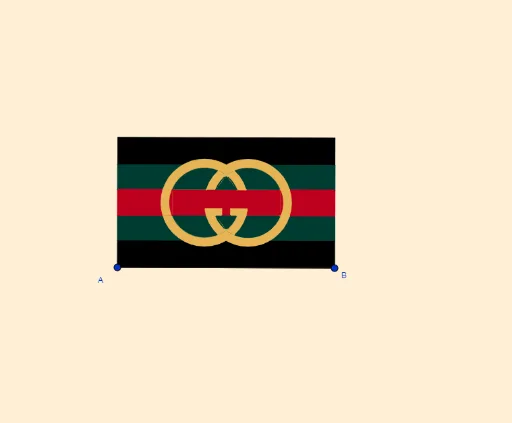
This example demonstrates how to construct a geometric figure similar to the Gucci Logo using GeoGebra, involving elements like circles, symmetry, and quadrilaterals. Key math concepts include circles, symmetry, quadrilaterals, tangent functions, orthocenters, functions, and plane figures. The construction utilizes commands and objects such as LineBisector (angle bisector), Vector, OrthogonalVector, Line, OrthogonalLine, Intersect, Mirror, Polygon, Circle, CircleArc, and Segment. It is suitable for high school mathematics education, showcasing the application of geometric constructions and transformations.
GeoGebra Commands & Parameters
LineBisector(A, B) → mVector(A, B) → uOrthogonalVector(u) → vLineBisector(A_1, A) → lLineBisector(A_1, A) → nLineBisector(A_1, A) → hLine(A, B) → sOrthogonalLine(D, s) → iIntersect(i, l) → PLine(Q, l) → tMirror(t, l) → t'OrthogonalLine(A, s) → bOrthogonalLine(B, u, xOyPlane) → gMirror(i, m) → i'OrthogonalLine(A_1, b) → rIntersect(g, r) → CIntersect(b, l) → OIntersect(b, t) → HMirror(H, l) → H'Mirror(H, m) → H'_1Mirror(H', m) → H''Polygon(H, H'_1, H'', H') → c1, h_1, h'_1, h'', h'Intersect(m, l) → LMirror(N, m) → N'Circle(N, N') → cIntersect(c, l) → E, GCircle(N, I) → eIntersect(c, t) → J, KIntersect(e, t) → R, SCircleArc(N, K, J) → fCircleArc(N, S, R) → qMirror(f, l) → f'Mirror(q, l) → q'Mirror(f, m) → f'_1Mirror(q, m) → q'_1Mirror(f', m) → f''Mirror(q', m) → q''Intersect(f', t') → M, H_2Intersect(q', t') → T, I_2CircleArc(N, J, M) → c_1CircleArc(N, R, T) → d_1Polygon(J, R, T, M) → c2, j_1, r_1, t_1, m_1Mirror(c_1, m) → f_1Mirror(m, m_1) → m'Mirror(m, m_1) → m'_1Mirror(M, m) → M'Mirror(J, m) → J'Segment(M', J') → i_1Mirror(T, m) → T'Mirror(M, m) → M'_1Segment(T', M'_1) → k_1Mirror(J, m) → J'_1Mirror(R, m) → R'Mirror(T, m) → T'_1Mirror(M, m) → M'_2Polygon(J'_1, R', T'_1, M'_2) → c2', j'_1, r', t'_1, m'_2Intersect(c, q) → U, , ,Intersect(c, f, 1) → VIntersect(q'_1, c) → W, , ,Intersect(e, m) → Z, B_1CircleArc(N, K, W) → p_1CircleArc(N, S, W) → q_1Polygon(B_1, W, K, S) → c3, b_1, w, k_2, s_1Mirror(p_1, l) → c_2Mirror(q_1, l) → d_2Mirror(S, l) → S'Mirror(B_1, l) → C_1Segment(S', C_1) → l_1Mirror(K, l) → K'Mirror(S, l) → S'_1Segment(K', S'_1) → n_1Mirror(W, l) → W'Mirror(K, l) → K'_1Segment(W', K'_1) → w'Mirror(B_1, l) → D_1Mirror(W, l) → W'_1Segment(D_1, W'_1) → a_1Mirror(c_2, l) → f_2Mirror(B_1, l) → aMirror(W, l) → W'_2Mirror(K, l) → K'_2Mirror(S, l) → S'_2Mirror(B_1, l) → F_1Mirror(W, l) → W'_3Mirror(K, l) → K'_3Mirror(S, l) → S'_3Polygon(F_1, W'_3, K'_3, S'_3) → c3'_1, h_2, w'_3, k'_3, s'_3Mirror(B_1, m) → G_1Mirror(W, m) → W'_4Mirror(K, m) → K'_4Mirror(S, m) → S'_4Polygon(G_1, W'_4, K'_4, S'_4) → c3'_2, i_2, w'_4, k'_4, s'_4Mirror(p_1, m) → p_2Mirror(q_1, m) → q_2Mirror(c_2, m) → g_2Mirror(F_1, m) → E_1Mirror(W'_3, m) → H_1Mirror(K'_3, m) → I_1Mirror(S'_3, m) → J_1Polygon(E_1, H_1, I_1, J_1) → c4, j_2, l_2, m_2, n_2Mirror(d_2, m) → r_2OrthogonalLine(K_1, m'_1) → s_2Intersect(c, s_2) → L_1, M_1Intersect(f, h'') → N_1,Intersect(f, t') → O_1,Intersect(c, t') → P_1, Q_1OrthogonalLine(R_1, s_2) → t_2Intersect(t_2, s_2) → S_1Polygon(L_1, S_1, R_1, Q_1) → c5, b_2, f_3, g_3, h_3Mirror(L_1, m) → T_1Mirror(S_1, m) → U_1Mirror(R_1, m) → V_1Mirror(Q_1, m) → W_1Polygon(T_1, U_1, V_1, W_1) → c5', i_3, u_1, v_1, a_2Intersect(c, m) → Z_1, A_2OrthogonalLine(A_2, m'_1) → j_3Mirror(j_3, l) → k_3Intersect(b, j_3) → B_2Intersect(g, j_3) → C_2Polygon(B_2, C_2, H'_1, H) → c6, l_3, m_3, n_3, h_4Mirror(c6, l) → c6'Polygon(B_2, C_2, C, A_1) → c7, p_3, q_3, c_3, r_3Mirror(c7, l) → c7'Mirror(d_1, m) → g_1Mirror(A_1, l) → D_2Mirror(B_2, l) → E_2Segment(D_2, E_2) → s_3Mirror(C, l) → C'Mirror(A_1, l) → F_2Segment(C', F_2) → t_3Mirror(C_2, l) → G_2Mirror(C, l) → C'_1Segment(G_2, C'_1) → b_3
AI Drawing Prompt Reference
Draw a geometric figure similar to the Gucci logo, including two intersecting circles and a quadrilateral. Start by drawing two circles, then use their axes of symmetry and tangents to construct the sides of the quadrilateral. Apply mirroring and rotation commands to generate the other half of the figure, and finally connect the key points to complete the design.
The prompt above was compiled from the original drawing commands and is for reference only.