
IM Geo 1.1 Practice: Build It
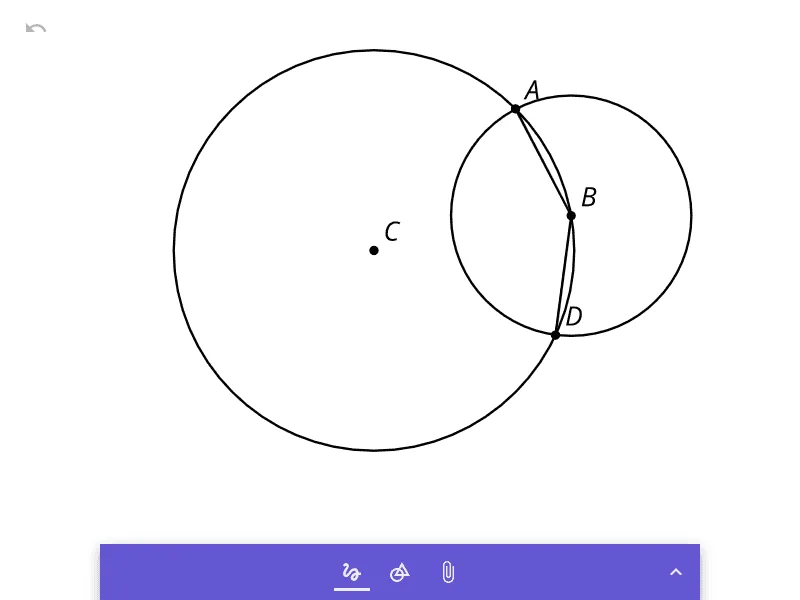
Loading the math board and drawing, please wait…
①This practice activity from Illustrative Mathematics Geometry Unit 1 Lesson 1 focuses on constructing geometric figures using dynamic geometry software. ②Core mathematical concepts include geometric construction, properties of points, lines, and circles, and the use of tools to create precise diagrams. ③Construction details: The example includes an image object (pic1) likely serving as a reference or background; students are expected to use GeoGebra's construction tools (e.g., line, circle, intersection) to build the required figure, emphasizing classical compass-and-straightedge ideas. ④Suitable for middle school or early high school geometry, this activity reinforces basic construction skills, spatial reasoning, and logical deduction, making it ideal for classroom practice or homework.
AI Drawing Prompt Reference
Draw a geometric construction practice figure: start with a horizontal line and place two points on it. Use one point as the center and the distance between the two points as the radius to draw a circle, which intersects the line at the other point. Then use that intersection as the center with the same radius to draw a second circle, creating two intersection points above and below. Connect these two intersection points with a segment to form a perpendicular bisector. Finally, add a polygon whose vertices are the points on the line and the two circle intersections, keeping all construction lines visible as references.
The prompt above was compiled from the original drawing commands and is for reference only.