
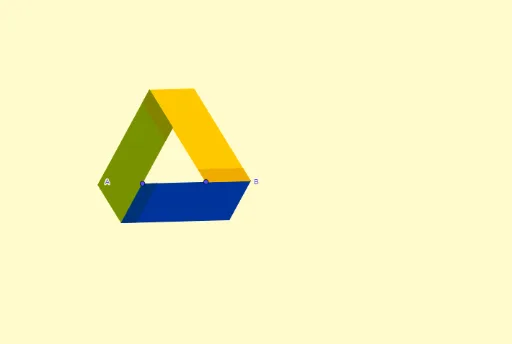
Google Drive Logo Geometric Construction
Loading the math board and drawing, please wait…
This example demonstrates how to construct the geometric shape of the Google Drive Logo using GeoGebra. The core mathematical concepts involved include vectors, polygon construction, rotation, intersection calculation, and orthogonal vectors. Key construction steps are derived from the command summary, utilizing commands such as Vector, Polygon, Line, Centroid, Rotate, Intersect, and OrthogonalVector. It is suitable for high school mathematics teaching, covering geometric constructions, vector operations, and rotational transformations.
GeoGebra Commands & Parameters
Vector(A, B) → uPolygon(A, B, 3) → poly1, f, g, h, CLine(D, g) → iCentroid(poly1) → ERotate(i, 120°, E) → i'Line(D, i') → lRotate(D, 120°, E) → D'Line(D', u) → jRotate(D', 120°, E) → D''Line(D'', j) → kIntersect(l, k) → HIntersect(j, i) → FPolygon(B, D, F, D') → q1, b, d, f_1, d'Rotate(B, 120°, E) → B'Rotate(D, 120°, E) → D'_1Rotate(F, 120°, E) → F'Rotate(D', 120°, E) → D''_1Polygon(B', D'_1, F', D''_1) → q1', b', d'_1, f', d''_1Intersect(k, i) → GPolygon(A, D'', H, D) → q2, m, n, p, qOrthogonalVector(u) → vLine(I, u) → rIntersect(r, i) → JIntersect(r, g) → KPolygon(K, J, D, B) → q3, k_1, j_1, d_1, b_1Rotate(K, 120°, E) → K'Rotate(J, 120°, E) → J'Rotate(D, 120°, E) → D'_2Rotate(B, 120°, E) → B'_1Polygon(K', J', D'_2, B'_1) → q3', k', j', d'_2, b'_1Rotate(K', 120°, E) → K''Rotate(J', 120°, E) → J''Rotate(D'_2, 120°, E) → LRotate(B'_1, 120°, E) → MPolygon(K'', J'', L, M) → q3'', k'', j'', l_1, m_1