
Geometric construction of the IKASNOVA logo using mirror symmetry and vectors
Loading the math board and drawing, please wait…
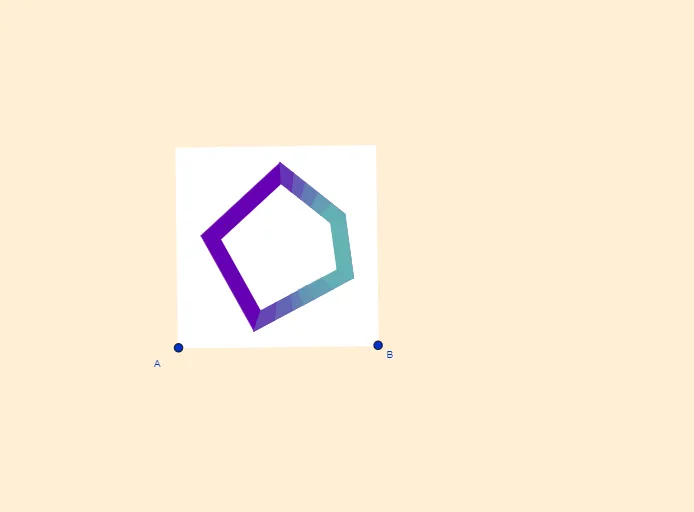
This example demonstrates how to construct an IKASNOVA-style logo line drawing by combining classical geometric constructions and symmetry. The key mathematical ideas include vector representation and orthogonality (OrthogonalVector, OrthogonalLine), constructing bisectors and midpoints (LineBisector, Midpoint), using mirror transformation to enforce symmetry (Mirror), and computing intersections and assembling shapes via polygons (Intersect, Polygon). Construction is carried out with GeoGebra commands such as LineBisector, Vector, OrthogonalVector, Line, OrthogonalLine, Mirror, Intersect, Polygon, and Midpoint, along with multiple auxiliary points (e.g., A, B, D, E, G, H, K, S) and text objects (texto1, texto2) to place labels and finalize the graphic composition. Suitable for middle school geometry construction lessons, transformation geometry topics, and beginner-friendly graph-to-design style projects.
GeoGebra Commands & Parameters
LineBisector(A, B) → mVector(A, B) → uOrthogonalVector(u) → vLineBisector(A_1, A) → lLine(A, B) → sOrthogonalLine(D, s) → iMirror(i, m) → i'OrthogonalLine(A, s) → bOrthogonalLine(A_1, b) → rOrthogonalLine(F, b) → fMirror(f, l) → f'Intersect(i', f') → PIntersect(i, f') → EIntersect(m, l) → KMirror(f, l) → f'_1OrthogonalLine(G, f'_1) → hOrthogonalLine(B, u, xOyPlane) → gIntersect(g, r) → CMirror(F, l) → F'Polygon(A_1, C, B, A) → c4, a_1, c_3, b_2, a_2OrthogonalLine(H, f'_1) → kIntersect(i', f) → J_1Intersect(f, m) → D_1Intersect(f, k) → JIntersect(l, i) → MLine(L, l) → jPolygon(S, L, J, R, Q) → poly1, s_1, l_1, j_1, r_1, qLine(O, l_1) → nLine(O, s_1) → pLine(I, q) → tLine(N, r_1) → cLine(N, j_1) → dIntersect(p, t) → TIntersect(c, t) → VIntersect(n, d) → WPolygon(O, T, V, N, W) → poly2, o, t_1, v_1, n_1, wVector(W, N) → aVector(J, R) → eVector(T, V) → u_1Vector(S, Q) → w_1Polygon(B_1, C_1, H_1, G_1) → q1, b_1, c_1, h_1, g_1Polygon(C_1, E_1, I_1, H_1) → q2, f_1, i_1, k_1, m_1Polygon(E_1, F_1, K_1, I_1) → q3, p_1, q_1, d_1, f_2Polygon(L_1, M_1, Q_1, P_1) → q4, g_2, h_2, i_2, j_2Polygon(M_1, N_1, R_1, Q_1) → q5, k_2, l_2, m_2, n_2Polygon(N_1, O_1, S_1, R_1) → q6, p_2, o_1, q_2, r_2Polygon(W, B_1, G_1, J) → q7, w_2, s_2, t_2, j_3Polygon(F_1, N, R, K_1) → q8, c_2, n_3, r_3, d_2Polygon(V, Q, R, N) → q9, v_2, q_3, r_4, n_4Polygon(T, P_1, L_1, S) → q10, t_3, f_3, g_3, s_3Polygon(Q, O_1, S_1, V) → q11, q_4, h_3, i_3, v_3Midpoint(H_1, I_1) → T_1Midpoint(C_1, E_1) → U_1Polygon(U_1, E_1, I_1, T_1) → q12, k_3, l_3, m_3, p_3
AI Drawing Prompt Reference
Create a geometric design that demonstrates how to construct an IKASNOVA-style logo line drawing by combining classical geometric constructions and symmetry. Start with a line segment and its midpoint, then use vectors and orthogonal lines to construct symmetry axes and angle bisectors. Apply mirror transformations to ensure symmetry and calculate intersections. Finally, assemble the shape using polygons, showcasing the application of vectors, orthogonal lines, angle bisectors, and mirror transformations.
The prompt above was compiled from the original drawing commands and is for reference only.