
Area Model for Multiplying 3-Digit by 3-Digit Numbers
Loading the math board and drawing, please wait…
In collections
Multiplication with Area Models
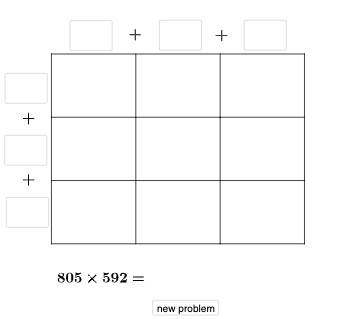
This example demonstrates how to multiply a 3-digit number by another 3-digit number using an area model. It splits the product into a grid of rectangles so that the total area of the composed figure equals the final multiplication result, making the “partial products then add up” structure visible. The key mathematics includes area-based representation of multiplication, decomposition/aggregation of partial products, and geometric interpretation of relationships that arise from block differences and directional change. In GeoGebra, the construction uses Intersect to create key division points, Random to vary the digits, and Point, Segment, and Polygon to draw the segmented rectangular regions. Vector and Translate help position and transform blocks consistently, while Textfield and conditional logic (If) manage digit selection and on-figure annotations. It also relies on multiple labeled geometric objects (e.g., A, D, E, F, G, H, J, K, L and intermediate variables) to represent regions and intermediate quantities. Suitable for middle and early high school learners, classroom visualization, and self-guided practice to build intuition for multi-digit multiplication through geometry.
GeoGebra Commands & Parameters
Intersect(xAxis, yAxis) → ARandom(1, 9) → wRandom(0, 9) → vRandom(1, 9) → uRandom(1, 9) → a_1Random(0, 9) → w_1Random(0, 9) → b_2Point(yAxis) → DPoint(xAxis) → EPoint(xAxis) → FPoint(yAxis) → LPolygon(A, E, G, L) → q1, a_{2}, e, g_{4}, l_{2}Polygon(E, F, H, G) → q2, e_1, f_{2}, h_{4}, g_1Polygon(G, H, K, J) → q5, g_2, h_3, k_1, j_{2}Polygon(L, G, J, D) → q6, l_1, g_3, j_1, d_{2}Segment(D, A) → q_{3}Segment(J, E) → sSegment(K, F) → tRandom(1, 9) → o_{3}Random(1, 9) → b_1Textfield(d_1) → aTextfield(m_1) → bTextfield(t_1) → fTextfield(u_1) → gTextfield(o_1) → lTextfield(p_1) → mTextfield(r_1) → oTextfield(s_1) → pTextfield(ansguess) → rIf(n_1 ≟ v, "√", "X") → text3If(ansguess ≟ produc, "☺", "☹ ") → text7Segment(L, H) → r_{3}Segment(A, F) → m_{2}Segment(D, K) → p_{3}Vector(L, D) → c_{3}Translate(D, c_{3}) → D'Translate(J, c_{3}) → J'Translate(K, c_{3}) → K'Vector(D, J) → iTranslate(H, i) → H'Translate(K, i) → K'_{1}Translate(F, i) → F'Translate(K', i) → K''Segment(D', K'') → j_{5}Segment(K'', F') → m_{3}Segment(F', F) → f_1Segment(H, H') → h_1Segment(K, K'_{1}) → i_1Segment(K', K) → h_2Segment(J', J) → i_2Segment(D', D) → k_2Textfield(c_2) → hTextfield(e_2) → jTextfield(n_2) → kTextfield(o_2) → nTextfield(p_2) → qTextfield(q_2) → dTextfield(r_2) → cIf(sidetrue, "√", "X") → text5If(toptrue, "√", "X") → text2Polygon(D, J, J', D') → q3, d_3, j_3, j', d'Polygon(J, K, K', J') → q4, j_4, k_3, k', s_2Polygon(K, K'_{1}, K'', K') → q7, k_4, k'_{1}, k'', t_2Polygon(H, H', K'_{1}, K) → q8, h_5, h', f_3, k_5Polygon(F, F', H', H) → q9, f_4, f', i_3, h_6
AI Drawing Prompt Reference
Create a geometric diagram for an area model of multiplying two 3-digit numbers. Start from the intersection of coordinate axes, define several key points on the x-axis and y-axis, then draw four rectangular polygon regions representing the four partial products, forming a 2x2 grid structure. Connect corresponding vertices in the grid with line segments to mark boundaries. Use vector translation to duplicate certain regions while maintaining grid correspondence. Add text input fields on the diagram for users to enter the product result, with feedback markers showing correctness. The entire diagram uses randomly generated three-digit numbers to control proportions, creating a variable multiplication area model visualization.
The prompt above was compiled from the original drawing commands and is for reference only.