
Geometric Construction for Counterclockwise Rotation
Loading the math board and drawing, please wait…
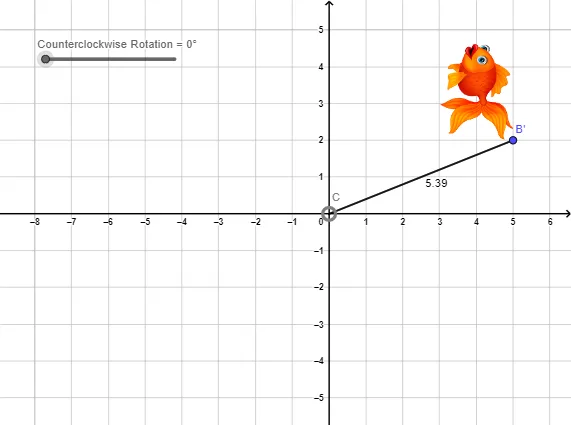
This example demonstrates how to perform a counterclockwise rotation in the plane and visualize the resulting correspondence between the original and rotated points/segments, emphasizing the preserved angle and distance relationships. The key mathematical ideas include rotation as a rigid transformation, angle measurement for a specified counterclockwise direction, and interpreting properties that follow from the rotation’s invariance (e.g., consistent midpoint/related segment behavior when used in constructions). Construction highlights from the provided GeoGebra summary: it uses Segment to create the starting segment(s), Rotate to generate rotated objects (such as B to B'), Angle to define or display the rotation angles (α and β), and Distance to measure relevant lengths before and after rotation. The involved objects include points like C and B, the rotated image points (B′), and angle/measurement placeholders (pic1/pic1′, g, β, a). Suitable for middle/high-school geometry, transformation chapters, and anyone learning to understand “rotation → angle → distance invariance” through interactive construction.
GeoGebra Commands & Parameters
Segment(C, B) → fRotate(B, α) → B'Rotate(pic1, α, C) → pic1'Segment(C, B') → gAngle(B, C, B') → βDistance(g, f) → a
AI Drawing Prompt Reference
Draw a line segment, then rotate it counterclockwise around one of its endpoints by a specified angle to get the rotated segment and endpoint. Measure and display the angle between the original and rotated segments, and their respective lengths. Finally, compare the lengths to verify that rotation is a distance-preserving transformation.
The prompt above was compiled from the original drawing commands and is for reference only.