
GeoGebra Geometry Construction Example by Sharetta McBride
Loading the math board and drawing, please wait…
In collections
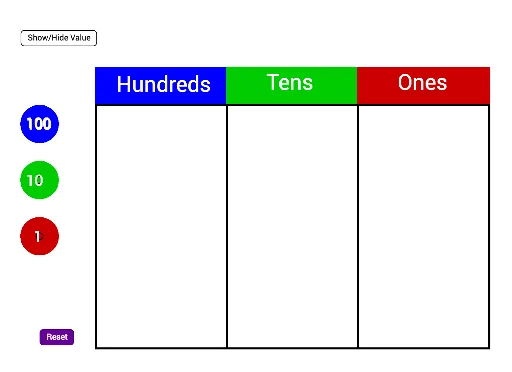
Grade 2 Eureka M4L6
This example demonstrates dynamic geometric construction and calculation using GeoGebra, involving core concepts like addition, natural numbers, step functions, right triangles, spheres, and line segments. It utilizes commands such as Polygon, Make100, Make10, Make1, and Sum, along with objects like text51, C_2, poly1, etc. Suitable for high school and above mathematics teaching or geometric construction learning.
GeoGebra Commands & Parameters
Polygon(C_2, D_2, E_2, F_2) → poly1, c_5, d_5, e_4, f_4Polygon(F_2, E_2, G_2, H_2) → poly2, f_5, e_5, g_4, h_4Polygon(H_2, G_2, I_2, J_2) → poly3, h_5, g_5, i_2, j_2Make100(A) → c, text1Make100(B) → d, text2Make100(C) → e, text3Make100(D) → f, text4Make100(E) → g, text5Make100(F) → h, text6Make100(G) → k, text7Make100(H) → p, text8Make100(I) → q, text9Make100(J) → r, text10Make10(K) → s, text11Make10(L) → t, text12Make10(M) → c_1, text13Make10(N) → d_1, text14Make10(O) → e_1, text15Make10(P) → f_1, text16Make10(Q) → g_1, text17Make10(R) → h_1, text18Make10(S) → k_1, text19Make10(T) → p_1, text20Make10(U) → q_1, text21Make10(V) → r_1, text22Make10(W) → s_1, text23Make10(Z) → t_1, text24Make10(A_1) → c_2, text25Make10(B_1) → d_2, text26Make10(C_1) → e_2, text27Make10(D_1) → f_2, text28Make10(E_1) → g_2, text29Make10(F_1) → h_2, text30Make1(G_1) → k_2, text31Make1(H_1) → p_2, text32Make1(I_1) → q_2, text33Make1(J_1) → r_2, text34Make1(K_1) → s_2, text35Make1(L_1) → t_2, text36Make1(M_1) → c_3, text37Make1(N_1) → d_3, text38Make1(O_1) → e_3, text39Make1(P_1) → f_3, text40Make1(Q_1) → g_3, text41Make1(R_1) → h_3, text42Make1(S_1) → k_3, text43Make1(T_1) → p_3, text44Make1(U_1) → q_3, text45Make1(V_1) → r_3, text46Make1(W_1) → s_3, text47Make1(Z_1) → t_3, text48Make1(A_2) → c_4, text49Make1(B_2) → d_4, text50Polygon(D_2, K_2, L_2, E_2) → poly4, d_6, k_4, l_2, e_6Polygon(E_2, L_2, M_2, G_2) → poly5, e_7, l_1, m_2, g_6Polygon(G_2, M_2, N_2, I_2) → poly6, g_7, m_1, n_2, i_1Sum(Sequence[IsInRegion[Element[listOnes, i], poly6], i, 1, 20]) → valueOnes
AI Drawing Prompt Reference
Draw a plane figure composed of multiple squares arranged in rows and columns, forming a grid-like structure. Each square contains or is adjacent to a number, which is decomposed into hundreds, tens, and ones, such as showing how many hundreds, tens, and ones make up the number. The overall shape consists of several adjacent rectangular regions, each containing a set of squares with corresponding numeric labels. Construct the main polygon outlines first, then add internal subdivisions and numeric annotations.
The prompt above was compiled from the original drawing commands and is for reference only.