
Isosceles Triangle Perimeter Problem
Loading the math board and drawing, please wait…
In collections
Grade 2 Eureka M4L6
This example demonstrates the calculation of the perimeter of an isosceles triangle. It involves key mathematical concepts such as the properties of isosceles triangles, geometric mean, and stochastic processes. Using GeoGebra commands like Polygon, Make100, Make10, Make1, and Sum, an isosceles triangle is constructed and its perimeter is calculated. Suitable for middle school and above students to learn geometric construction and probability statistics.
GeoGebra Commands & Parameters
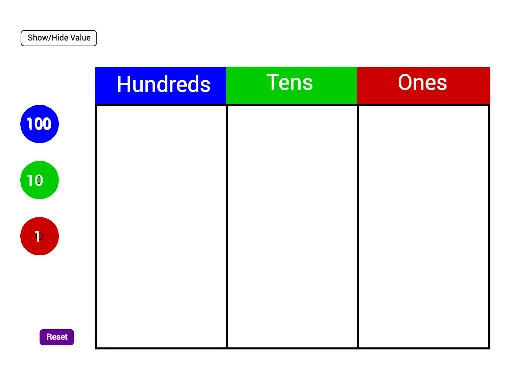
Polygon(C_2, D_2, E_2, F_2) → poly1, c_5, d_5, e_4, f_4Polygon(F_2, E_2, G_2, H_2) → poly2, f_5, e_5, g_4, h_4Polygon(H_2, G_2, I_2, J_2) → poly3, h_5, g_5, i_2, j_2Make100(A) → c, text1Make100(B) → d, text2Make100(C) → e, text3Make100(D) → f, text4Make100(E) → g, text5Make100(F) → h, text6Make100(G) → k, text7Make100(H) → p, text8Make100(I) → q, text9Make100(J) → r, text10Make10(K) → s, text11Make10(L) → t, text12Make10(M) → c_1, text13Make10(N) → d_1, text14Make10(O) → e_1, text15Make10(P) → f_1, text16Make10(Q) → g_1, text17Make10(R) → h_1, text18Make10(S) → k_1, text19Make10(T) → p_1, text20Make10(U) → q_1, text21Make10(V) → r_1, text22Make10(W) → s_1, text23Make10(Z) → t_1, text24Make10(A_1) → c_2, text25Make10(B_1) → d_2, text26Make10(C_1) → e_2, text27Make10(D_1) → f_2, text28Make10(E_1) → g_2, text29Make10(F_1) → h_2, text30Make1(G_1) → k_2, text31Make1(H_1) → p_2, text32Make1(I_1) → q_2, text33Make1(J_1) → r_2, text34Make1(K_1) → s_2, text35Make1(L_1) → t_2, text36Make1(M_1) → c_3, text37Make1(N_1) → d_3, text38Make1(O_1) → e_3, text39Make1(P_1) → f_3, text40Make1(Q_1) → g_3, text41Make1(R_1) → h_3, text42Make1(S_1) → k_3, text43Make1(T_1) → p_3, text44Make1(U_1) → q_3, text45Make1(V_1) → r_3, text46Make1(W_1) → s_3, text47Make1(Z_1) → t_3, text48Make1(A_2) → c_4, text49Make1(B_2) → d_4, text50Polygon(D_2, K_2, L_2, E_2) → poly4, d_6, k_4, l_2, e_6Polygon(E_2, L_2, M_2, G_2) → poly5, e_7, l_1, m_2, g_6Polygon(G_2, M_2, N_2, I_2) → poly6, g_7, m_1, n_2, i_1Sum(Sequence[IsInRegion[Element[listOnes, i], poly6], i, 1, 20]) → valueOnes
AI Drawing Prompt Reference
Draw an isosceles triangle to demonstrate the calculation of its perimeter. First, create three polygons to form the triangle, then generate and display 100 random numbers, followed by multiple small units using 10 random numbers each, and finally a single unit using 1 random number, all to illustrate the process of calculating the perimeter of the isosceles triangle.
The prompt above was compiled from the original drawing commands and is for reference only.