
Geoplano Plane Construction around (0,0): Similar Triangles and Regression Conte
Loading the math board and drawing, please wait…
In collections
Proofs Without Words
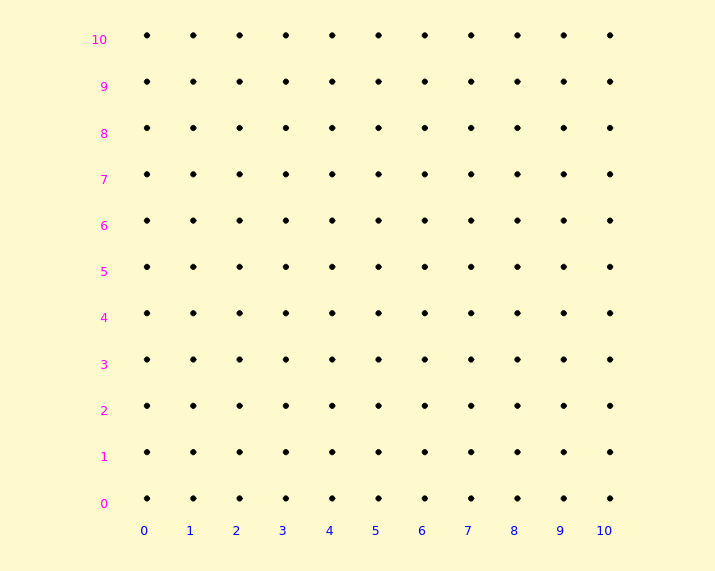
This GeoGebra example demonstrates a plane-geometry construction anchored at the origin (0,0) using the Geoplano environment. By generating key points and assembling polygons (notably triangle-like structures), it helps visualize relationships such as similar triangles, line/segment interactions, and the way these geometric configurations can be linked to a regression-style interpretation (e.g., marking statements like confidence intervals on the plot). The main math concepts include: similarity of triangles (proportional sides under corresponding vertices), intersections and line construction in the plane, polygon/triangle formation from vertices, and the graphical idea of linear regression with uncertainty/interval annotations. Construction-wise, the provided command structure indicates the use of Sequence to generate an ordered set of geometric elements and Polygon to connect vertices into the main shapes; the scene also includes a Geoplano object and multiple text objects (texto1–texto34) to label coordinates and explanations, while point/parameter objects (m, E1–E4) define the key positions used by the construction. Suitable for secondary-school geometry enrichment, coordinate-geometry/visual modeling lessons, and student exploration with GeoGebra.
GeoGebra Commands & Parameters
Sequence(Sequence[(i, j), i, 0, m, 1], j, 0, m, 1) → geoplano, {{(0, 0), (1, 0), (2, 0), (3, 0), (4, 0), (5, 0), (6, 0), (7, 0), (8, 0), (9, 0), (10, 0)}, {(0, 1), (1, 1), (2, 1), (3, 1), (4, 1), (5, 1), (6, 1), (7, 1), (8, 1), (9, 1), (10, 1)}, {(0, 2), (1, 2), (2, 2), (3, 2), (4, 2), (5, 2), (6, 2), (7, 2), (8, 2), (9, 2), (10, 2)}, {(0, 3), (1, 3), (2, 3), (3, 3), (4, 3), (5, 3), (6, 3), (7, 3), (8, 3), (9, 3), (10, 3)}, {(0, 4), (1, 4), (2, 4), (3, 4), (4, 4), (5, 4), (6, 4), (7, 4), (8, 4), (9, 4), (10, 4)}, {(0, 5), (1, 5), (2, 5), (3, 5), (4, 5), (5, 5), (6, 5), (7, 5), (8, 5), (9, 5), (10, 5)}, {(0, 6), (1, 6), (2, 6), (3, 6), (4, 6), (5, 6), (6, 6), (7, 6), (8, 6), (9, 6), (10, 6)}, {(0, 7), (1, 7), (2, 7), (3, 7), (4, 7), (5, 7), (6, 7), (7, 7), (8, 7), (9, 7), (10, 7)}, {(0, 8), (1, 8), (2, 8), (3, 8), (4, 8), (5, 8), (6, 8), (7, 8), (8, 8), (9, 8), (10, 8)}, {(0, 9), (1, 9), (2, 9), (3, 9), (4, 9), (5, 9), (6, 9), (7, 9), (8, 9), (9, 9), (10, 9)}, {(0, 10), (1, 10), (2, 10), (3, 10), (4, 10), (5, 10), (6, 10), (7, 10), (8, 10), (9, 10), (10, 10)}}Polygon(E2, E1, E4, E3) → c1, e2, e1, e4, e3
AI Drawing Prompt Reference
Draw a grid of horizontal line segments around the origin (0,0). Mark key points on the grid and connect them to form triangles and quadrilaterals. Include text labels to explain coordinates and geometric relationships. The overall layout helps understand concepts like similar triangles and linear regression.
The prompt above was compiled from the original drawing commands and is for reference only.