
Ghirlandaio's Adoration
Loading the math board and drawing, please wait…
In collections
geometriadinamica.es
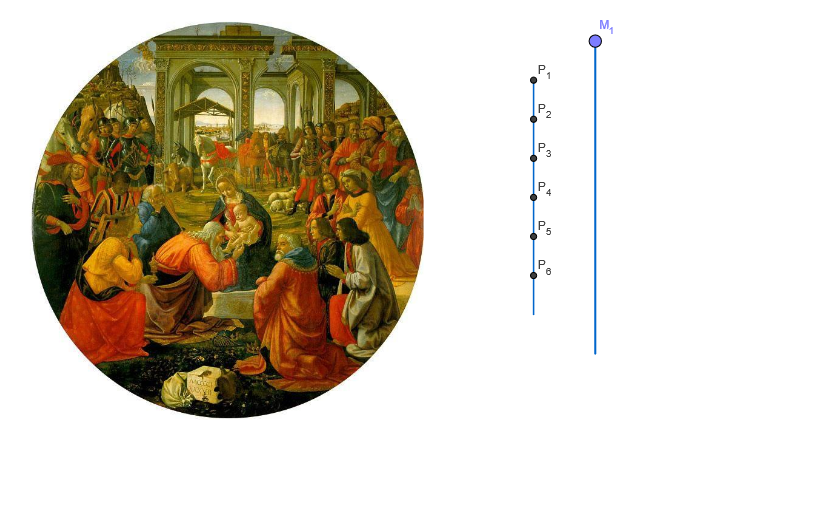
This example demonstrates some mathematical concepts in Ghirlandaio's Adoration scene. It involves geometric shapes' symmetry, similar triangles, and complex numbers. Through GeoGebra's construction, users can see the relationships and symmetries between different elements in the Adoration scene. This example is suitable for middle school or high school students learning geometric shapes' symmetry and similar triangles.
GeoGebra Commands & Parameters
OrthogonalLine(B, xAxis) → aPoint(a) → CSegment(B, C) → bPoint(b) → M_1If(pas > 5 ∧ pas < 7, 0, -1) → t_6If(pas > 4 ∧ pas < 7, 0, 1000000) → t_5OrthogonalLine(B_5, b) → s_1If(pas > 3 ∧ pas < 7, 0, 1000000) → t_4Line(B_4, b) → r_1If(pas > 0 ∧ pas < 7, 0, 1000000) → t_1OrthogonalLine(B_1, b) → mOrthogonalLine(A, b) → dIf(pas > 1 ∧ pas < 7, 0, 1000000) → t_2If(pas > 2 ∧ pas < 7, 0, 1000000) → t_3Point(d) → DOrthogonalLine(A, b) → eDilate(D, pr, A) → ECircle(A, E) → fOrthogonalLine(A, e) → gIntersect(f, g, 2) → FOrthogonalLine(F, g) → hOrthogonalLine(D, e) → iIntersect(h, i) → GSegment(P_1, P_7) → cPolygon(A, F, G, D) → P, a_1, f_1, g_1, d_1Midpoint(F, D) → HPoint(m) → IRotate(I, 90°, H) → JMirror(I, H) → KMirror(J, H) → LRotate(I, 45°, H) → MOrthogonalLine(B_2, b) → kPoint(k) → ORotate(O, 90°, H) → QMirror(O, H) → RMirror(Q, H) → SPolygon(I, J, K, L) → T, i_1, j, k_1, lPolygon(O, Q, R, S) → U, o, q, r, sLine(B_3, b) → nPoint(n) → VPoint(n) → WOrthogonalLine(V, n) → pOrthogonalLine(W, n) → tPoint(p) → YPoint(t) → ZPolygon(V, Y, Z, W) → Q_1, v, y, z, wPoint(n) → C_1Point(n) → D_1OrthogonalLine(D_1, n) → b_1OrthogonalLine(C_1, n) → c_1Point(b_1) → E_1Point(b_1) → G_1Point(c_1) → H_1Point(c_1) → I_1Polygon(E_1, H_1, I_1, G_1) → R_1, e_1, h_1, i_2, g_2Line(B_4, b) → j_1Point(r_1) → F_1Point(j_1) → K_1OrthogonalLine(K_1, j_1) → l_1Point(s_1) → O_1Segment(W, O_1) → m_1Point(s_1) → N_1Segment(N_1, Z) → n_1Point(r_1) → J_1Segment(I_1, J_1) → p_1Segment(G_1, F_1) → q_1Line(A_6, b) → a_2Point(p_1) → L_1Line(B_6, b) → b_2Point(b_2) → S_1Circle(S_1, L_1) → c_2OrthogonalLine(M_1, b) → d_2Intersect(d_2, c) → T_1
AI Drawing Prompt Reference
This is a geometric figure based on symmetry and similar triangles, containing circles, line segments, and polygons. Construct these using coordinate geometry and apply transformations like rotation and reflection to highlight symmetry. The figure consists of points, line segments, and circles, forming a complex geometric structure suitable for learning symmetry and similar triangles.
The prompt above was compiled from the original drawing commands and is for reference only.