
Number Decomposition and Polygon Area Summation Practice
Loading the math board and drawing, please wait…
In collections
Grade 2 Eureka M4L6
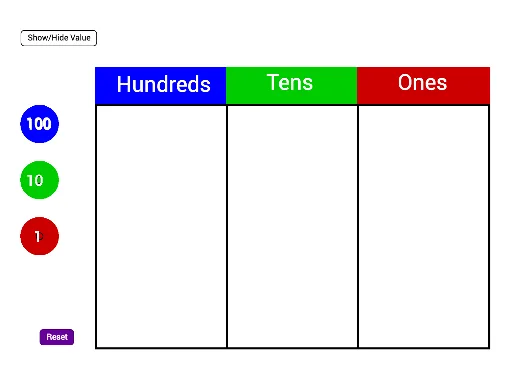
This GeoGebra example demonstrates a comprehensive mathematical exercise combining number decomposition, polygon construction, and area summation. It shows how to break natural numbers into hundreds, tens, and units using commands like Make100, Make10, and Make1, then uses these digits to generate multiple polygons (poly1, poly2, poly3) and compute their total area via the Sum command. Core mathematical concepts include place value of natural numbers, polygon area calculation, and an introduction to definite integrals through area accumulation. The construction uses the Polygon command to draw shapes, text objects (text51, text52, text53, etc.) to label numbers, and auxiliary points (C_2, D_2, E_2, etc.) to control the geometry. This example is suitable for upper elementary to middle school students, reinforcing number decomposition, area computation, and geometric visualization, and can serve as a template for teachers designing differentiated practice problems.
GeoGebra Commands & Parameters
Polygon(C_2, D_2, E_2, F_2) → poly1, c_5, d_5, e_4, f_4Polygon(F_2, E_2, G_2, H_2) → poly2, f_5, e_5, g_4, h_4Polygon(H_2, G_2, I_2, J_2) → poly3, h_5, g_5, i_2, j_2Make100(A) → c, text1Make100(B) → d, text2Make100(C) → e, text3Make100(D) → f, text4Make100(E) → g, text5Make100(F) → h, text6Make100(G) → k, text7Make100(H) → p, text8Make100(I) → q, text9Make100(J) → r, text10Make10(K) → s, text11Make10(L) → t, text12Make10(M) → c_1, text13Make10(N) → d_1, text14Make10(O) → e_1, text15Make10(P) → f_1, text16Make10(Q) → g_1, text17Make10(R) → h_1, text18Make10(S) → k_1, text19Make10(T) → p_1, text20Make10(U) → q_1, text21Make10(V) → r_1, text22Make10(W) → s_1, text23Make10(Z) → t_1, text24Make10(A_1) → c_2, text25Make10(B_1) → d_2, text26Make10(C_1) → e_2, text27Make10(D_1) → f_2, text28Make10(E_1) → g_2, text29Make10(F_1) → h_2, text30Make1(G_1) → k_2, text31Make1(H_1) → p_2, text32Make1(I_1) → q_2, text33Make1(J_1) → r_2, text34Make1(K_1) → s_2, text35Make1(L_1) → t_2, text36Make1(M_1) → c_3, text37Make1(N_1) → d_3, text38Make1(O_1) → e_3, text39Make1(P_1) → f_3, text40Make1(Q_1) → g_3, text41Make1(R_1) → h_3, text42Make1(S_1) → k_3, text43Make1(T_1) → p_3, text44Make1(U_1) → q_3, text45Make1(V_1) → r_3, text46Make1(W_1) → s_3, text47Make1(Z_1) → t_3, text48Make1(A_2) → c_4, text49Make1(B_2) → d_4, text50Polygon(D_2, K_2, L_2, E_2) → poly4, d_6, k_4, l_2, e_6Polygon(E_2, L_2, M_2, G_2) → poly5, e_7, l_1, m_2, g_6Polygon(G_2, M_2, N_2, I_2) → poly6, g_7, m_1, n_2, i_1Sum(Sequence[IsInRegion[Element[listOnes, i], poly6], i, 1, 20]) → valueOnes
AI Drawing Prompt Reference
On a plane, first choose a base set of four control points. Draw three adjacent quadrilaterals in sequence by connecting their vertices: the first quadrilateral is formed from the first four points, the second quadrilateral shares one edge with the first (formed using the next set of four points), and the third shares an edge with the second to create a stepped continuous strip. Next, decompose several natural numbers into hundreds, tens, and ones. Place text labels next to the relevant control points to indicate the digits for the hundreds group, the tens group, and the ones group, so that the vertices used for the quadrilaterals are accompanied by the corresponding numerical annotations. Follow an order of constructing polygons first, then adding the digit decomposition labels.
The prompt above was compiled from the original drawing commands and is for reference only.