
Number Pyramid with Bar Chart: Addition, Fractions, Limits, and Linear Programmi
Loading the math board and drawing, please wait…
In collections
Grade 2 Eureka M4L6
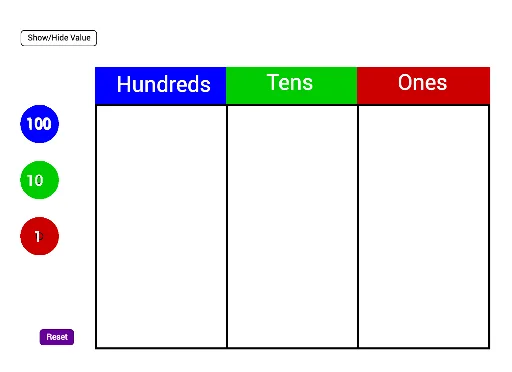
① This GeoGebra example demonstrates a number pyramid combined with bar charts, illustrating how natural numbers are decomposed and summed, while also touching on fractions, limits, and linear programming concepts. ② Core mathematical concepts include addition and decomposition of natural numbers (using Make100, Make10, Make1 commands), fraction representation, sequence limits, and linear programming/optimization, all visualized through polygons and bar graphs. ③ Construction highlights: From the construction summary, the example uses the Polygon command to create multiple polygons (poly1, poly2, poly3), the Make100, Make10, Make1 commands to break numbers into hundreds, tens, and ones, and the Sum command for addition. Numerous text objects (text51, text52, etc.) and points (A, B, C, D, E, etc.) along with segments (c, d, e, f) and auxiliary objects (G_2, H_2, etc.) build the pyramid layers and bar charts. ④ Target audience: Suitable for upper elementary to middle school students, this example helps visualize addition, place value, and fractions, and serves as an introductory tool for limits and linear programming, ideal for math labs or interdisciplinary projects.
GeoGebra Commands & Parameters
Polygon(C_2, D_2, E_2, F_2) → poly1, c_5, d_5, e_4, f_4Polygon(F_2, E_2, G_2, H_2) → poly2, f_5, e_5, g_4, h_4Polygon(H_2, G_2, I_2, J_2) → poly3, h_5, g_5, i_2, j_2Make100(A) → c, text1Make100(B) → d, text2Make100(C) → e, text3Make100(D) → f, text4Make100(E) → g, text5Make100(F) → h, text6Make100(G) → k, text7Make100(H) → p, text8Make100(I) → q, text9Make100(J) → r, text10Make10(K) → s, text11Make10(L) → t, text12Make10(M) → c_1, text13Make10(N) → d_1, text14Make10(O) → e_1, text15Make10(P) → f_1, text16Make10(Q) → g_1, text17Make10(R) → h_1, text18Make10(S) → k_1, text19Make10(T) → p_1, text20Make10(U) → q_1, text21Make10(V) → r_1, text22Make10(W) → s_1, text23Make10(Z) → t_1, text24Make10(A_1) → c_2, text25Make10(B_1) → d_2, text26Make10(C_1) → e_2, text27Make10(D_1) → f_2, text28Make10(E_1) → g_2, text29Make10(F_1) → h_2, text30Make1(G_1) → k_2, text31Make1(H_1) → p_2, text32Make1(I_1) → q_2, text33Make1(J_1) → r_2, text34Make1(K_1) → s_2, text35Make1(L_1) → t_2, text36Make1(M_1) → c_3, text37Make1(N_1) → d_3, text38Make1(O_1) → e_3, text39Make1(P_1) → f_3, text40Make1(Q_1) → g_3, text41Make1(R_1) → h_3, text42Make1(S_1) → k_3, text43Make1(T_1) → p_3, text44Make1(U_1) → q_3, text45Make1(V_1) → r_3, text46Make1(W_1) → s_3, text47Make1(Z_1) → t_3, text48Make1(A_2) → c_4, text49Make1(B_2) → d_4, text50Polygon(D_2, K_2, L_2, E_2) → poly4, d_6, k_4, l_2, e_6Polygon(E_2, L_2, M_2, G_2) → poly5, e_7, l_1, m_2, g_6Polygon(G_2, M_2, N_2, I_2) → poly6, g_7, m_1, n_2, i_1Sum(Sequence[IsInRegion[Element[listOnes, i], poly6], i, 1, 20]) → valueOnes
AI Drawing Prompt Reference
Draw a number pyramid with multiple layers of polygons, each made up of four points. Start from the top layer and use the Make100 command to break down numbers into hundreds, tens, and ones, then use the Make1 command to further break down tens and ones. Connect the polygons layer by layer to form a complete pyramid structure, and add corresponding text labels inside each polygon.
The prompt above was compiled from the original drawing commands and is for reference only.