
From Cube to Tetrahedron
Loading the math board and drawing, please wait…
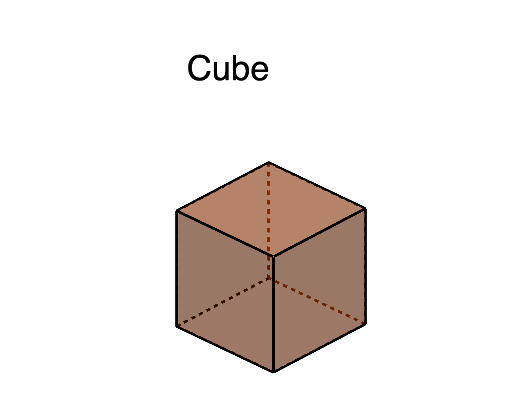
This example demonstrates the continuous transformation from a cube to a tetrahedron. It involves core mathematical concepts such as solid geometry, continuity, calculus, and coordinate geometry. The construction utilizes GeoGebra commands and objects like Point, Cube, Sphere, Intersect, Polygon, Segment, and Rotate. Suitable for high school students and math enthusiasts exploring spatial geometric transformations and calculus applications.
GeoGebra Commands & Parameters
Point(Circle[A, Distance[B, A], Segment[B, A]]) → ICube(B, A, I) → a, J, faceIJNM, faceKLMN, edgeBJ, edgeAB, edgeAI, edgeIJ, edgeBK, edgeJN, edgeKN, edgeKL, K, edgeAL, edgeLM, edgeIM, edgeMN, L, M, N, faceABJI, faceBJNK, faceABKL, faceAIMLSphere(G, s) → bSphere(F, s) → cSphere(H, s) → dSphere(E, s) → eSphere(I, s) → fSphere(C, s) → gSphere(B, s) → hSphere(A, s) → iIntersect(edgeKL, e) → O, O_1Intersect(edgeKL, c) → P_1, PIntersect(edgeAB, h) → Q_1, QIntersect(edgeAB, i) → R, R_1Intersect(edgeLM, d) → S, S_1Intersect(edgeMN, b) → T, T_1Intersect(edgeMN, d) → U_1, UIntersect(edgeIM, d) → V_1, VIntersect(edgeKN, b) → W_1, WIntersect(edgeJN, b) → Z, Z_1Intersect(edgeAL, e) → A_2, A_1Intersect(edgeLM, e) → B_2, B_1Intersect(edgeIM, f) → C_1, C_2Intersect(edgeIJ, f) → D_2, D_1Intersect(edgeIJ, g) → E_1, E_2Intersect(edgeJN, g) → F_2, F_1Intersect(edgeBJ, g) → G_2, G_1Intersect(edgeBJ, h) → H_1, H_2Intersect(edgeBK, h) → I_1, I_2Intersect(edgeBK, c) → J_2, J_1Intersect(edgeKN, c) → K_1, K_2Polygon(K_1, J_1, P) → t1, p, k_1, j_1Polygon(B_1, O, A_1) → t2, a_1, b_1, oPolygon(S, V, U) → t3, u, s_1, vPolygon(T, Z, W) → t4, w, t, z_1Intersect(edgeAL, i) → L_1, L_2Intersect(edgeAI, f) → M_1, M_2Intersect(edgeAI, i) → N_2, N_1Polygon(L_1, N_1, R) → t5, r, l_1, n_1Polygon(D_1, M_1, C_1) → t6, c_1, d_1, m_1Polygon(F_1, G_1, E_1) → t7, e_1, f_1, g_1Polygon(I_1, H_1, Q) → t8, q, i_1, h_1Segment(K_1, W) → jSegment(T, U) → kSegment(S, B_1) → lSegment(J_1, I_1) → mSegment(P, O) → nSegment(Z, F_1) → p_1Segment(A_1, L_1) → q_1Segment(R, Q) → r_1Segment(G_1, H_1) → t_1Segment(D_1, E_1) → f_2Segment(V, C_1) → g_2Segment(N_1, M_1) → h_2Segment(T, Z) → i_2Segment(F_1, E_1) → j_2Segment(C_1, D_1) → k_2Segment(V, U) → l_2Intersect(l_2, i_2) → O_2Intersect(l_2, k_2) → P_2Intersect(j_2, k_2) → Q_2Intersect(j_2, i_2) → R_2Polygon(O_2, P_2, Q_2, R_2) → q1, o_2, p_2, q_2, r_2Rotate(q1, 90°, zAxis) → q1'Rotate(q1, 180°, zAxis) → q1'_{1}Rotate(q1, 270°, zAxis) → q1'_{2}Rotate(O_2, 90°, zAxis) → S_2Rotate(P_2, 90°, zAxis) → T_2Rotate(Q_2, 90°, zAxis) → U_2Rotate(R_2, 90°, zAxis) → V_2Rotate(O_2, 180°, zAxis) → W_2Rotate(P_2, 180°, zAxis) → Z_2Rotate(Q_2, 180°, zAxis) → A_3Rotate(R_2, 180°, zAxis) → B_3Rotate(O_2, 270°, zAxis) → C_3Rotate(P_2, 270°, zAxis) → D_3Rotate(Q_2, 270°, zAxis) → E_3Rotate(R_2, 270°, zAxis) → F_3Rotate(q1, 90°, yAxis) → q1'_{3}Rotate(O_2, 90°, yAxis) → G_3Rotate(P_2, 90°, yAxis) → H_3Rotate(Q_2, 90°, yAxis) → I_3Rotate(R_2, 90°, yAxis) → J_3Rotate(q1, -90°, yAxis) → q1'_{4}Rotate(O_2, -90°, yAxis) → K_3Rotate(P_2, -90°, yAxis) → L_3Rotate(Q_2, -90°, yAxis) → M_3Rotate(R_2, -90°, yAxis) → N_3Polygon(R_2, T_2, S_2, N_3, M_3, O_2) → poly1, m_2, t_2, s_2, n_3, m_3, n_2Polygon(N_3, K_3, W_2, Z_2, V_2, S_2) → poly2, a_2, k_3, w_2, z_2, v_2, b_2Polygon(W_2, B_3, D_3, C_3, L_3, K_3) → poly3, c_2, b_3, d_3, c_3, l_3, d_2Polygon(C_3, F_3, P_2, O_2, M_3, L_3) → poly4, e_2, f_3, g_3, h_3, i_3, j_3Polygon(U_2, J_3, I_3, A_3, Z_2, V_2) → poly5, u_2, p_3, q_3, a_3, r_3, s_3Polygon(A_3, I_3, H_3, E_3, D_3, B_3) → poly6, t_3, e_3, f_4, g_4, h_4, i_4Polygon(E_3, H_3, G_3, Q_2, P_2, F_3) → poly7, j_4, k_4, l_4, m_4, n_4, p_4Polygon(R_2, Q_2, G_3, J_3, U_2, T_2) → poly8, q_4, r_4, s_4, t_4, a_4, b_4Polygon(S, U, T, W, K_1, P, O, B_1) → poly9, s_5, u_1, t_5, w_1, c_4, p_5, o_1, d_4Rotate(poly9, 90°, xAxis) → poly9'Rotate(poly9, 180°, xAxis) → poly9'_{1}Rotate(poly9, 270°, xAxis) → poly9'_{2}Rotate(K_1, -90°, yAxis) → O_3Rotate(J_1, -90°, yAxis) → P_3Segment(O_3, P_3) → p'Rotate(poly9'_{2}, 90°, zAxis) → poly10Rotate(poly9'_{2}, -90°, zAxis) → poly11
AI Drawing Prompt Reference
Start with a cube and gradually transform it into a tetrahedron. First, create a cube, then use rotation and intersection to gradually change the cube's shape until it forms a tetrahedron. Pay attention to the changes in key points and faces at each step.
The prompt above was compiled from the original drawing commands and is for reference only.