
3D Distance via Vector and Segment Construction
Loading the math board and drawing, please wait…
In collections
Vector Mechanics & Statics
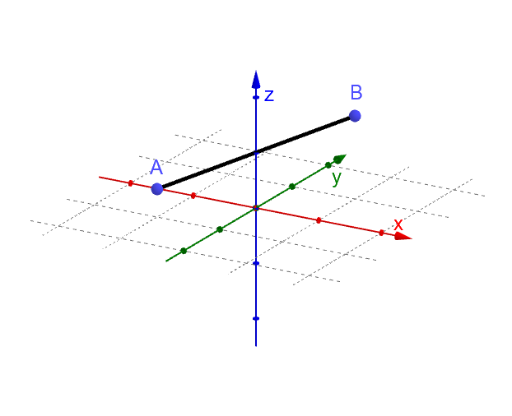
This example demonstrates how to measure the distance between two points in 3D space using geometric construction. It visualizes the shortest connection segment (the segment joining the two points) and relates it to the corresponding displacement vector and its coordinate components. Key mathematical ideas include 3D coordinates, vector representation, Euclidean distance (as a geometric length measurement), and expressing distance through vector components/direction parameters. Construction approach: based on the GeoGebra construction summary, it primarily uses the commands Segment and Vector to build the segment AB and the 3D displacement vector. Objects such as A, B, min, and max support endpoint selection and distance-related extrema/values; auxiliary points (e.g., f, C, D) help encode the geometric setup. Vector-related variables u, v, w and dx, dy, dz represent component/coordinate differences, while parameters like lam, lamx, lamy, lamz capture scalar coefficients used in the computation model. The text label (text1) is used to display the computed distance, with additional parameters (a, Au, b, c) organizing coefficients used in the final distance expression. Suitable for high school to early undergraduate levels, especially for solid geometry and coordinate geometry instruction.
GeoGebra Commands & Parameters
Segment(A, B) → fVector(A, C) → uVector(C, D) → vVector(D, B) → wVector(A, Au) → b
AI Drawing Prompt Reference
In 3D space, draw two points and connect them with a straight segment to represent the distance between them. From the first point, construct three consecutive vectors along the coordinate axes, ending at the second point, forming a broken path. Also draw a direct vector from the first point to the second, contrasting with the broken path. At each turning point of the broken path, mark the corresponding coordinate component differences with dashed lines. Finally, add a text label near the figure showing the Euclidean distance value and its relation to the vector components. The overall layout should clearly display the 3D axes, points, segment, vectors, and distance annotation.
The prompt above was compiled from the original drawing commands and is for reference only.