
Finding the Area Between Two Curves
Loading the math board and drawing, please wait…
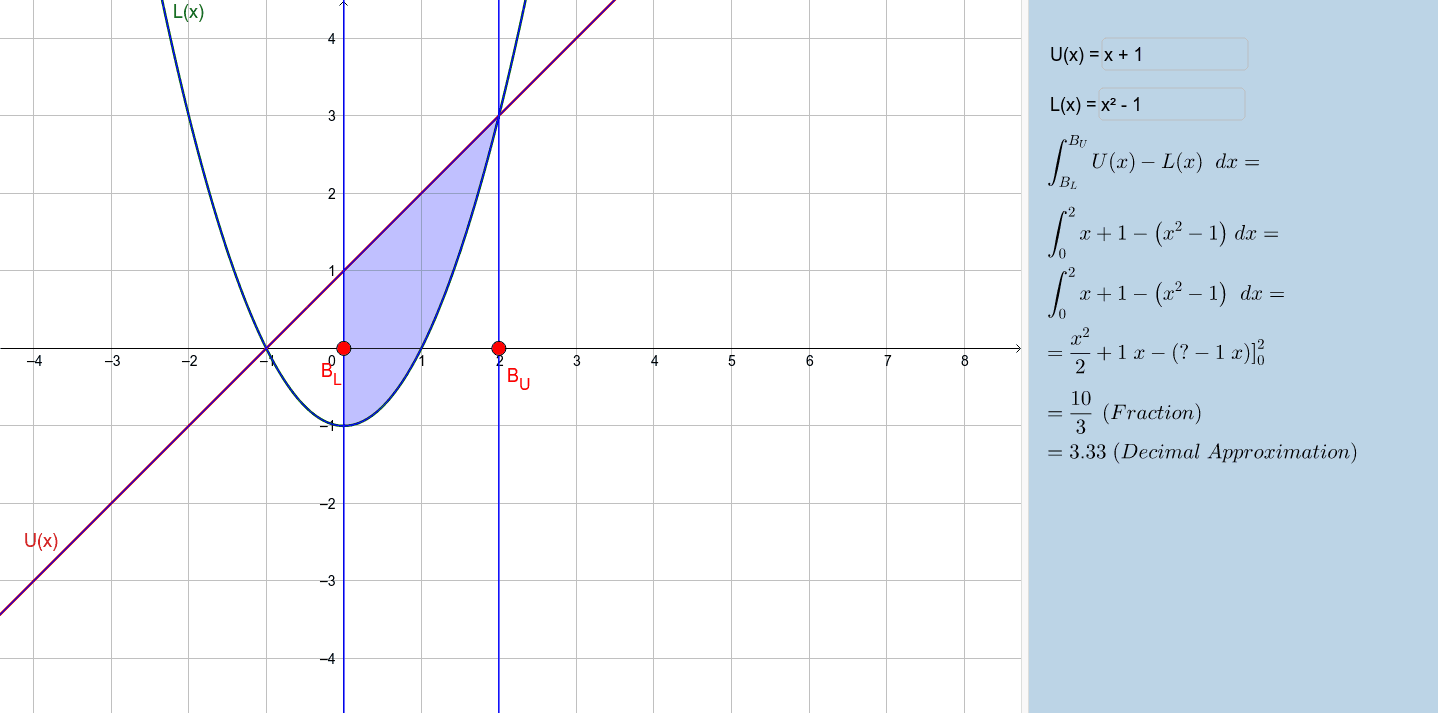
This example demonstrates calculating the area between two curves using GeoGebra. Key concepts include definite integrals and area computation. Construction involves using commands like Point, Integral, and Textfield to define curve boundaries and integration regions. Suitable for high school students learning calculus fundamentals or for function graph analysis practice.
GeoGebra Commands & Parameters
Point(xAxis) → B_LPoint(xAxis) → B_UIntegral(U(x) - L(x), x(B_L), x(B_U)) → AreaTextfield(U) → InputBox1Textfield(L) → InputBox2FractionText(Area) → text2Simplify(U(x) - L(x)) → hIntegral(h) → p
AI Drawing Prompt Reference
Draw the area between two curves. First, plot the graphs of U(x) and L(x). Then, determine the region between them. Use an integral tool to calculate the area. Ensure the graph is clear and labeled. Finally, show the calculated area value.
The prompt above was compiled from the original drawing commands and is for reference only.