
Drawing a Square by Rotation
Loading the math board and drawing, please wait…
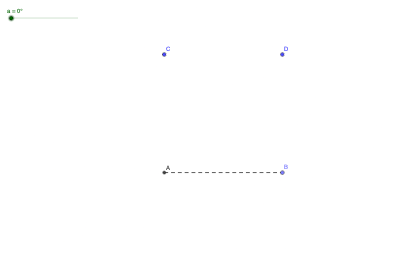
This example demonstrates how to construct a square using rotation in GeoGebra. It involves core mathematical concepts such as rotation, properties of regular polygons, and geometric construction. Key GeoGebra commands and objects used include Intersect, Point, Segment, Rotate, and If, as outlined in the construction summary. Suitable for middle school students and above to learn geometric transformations and construction techniques, or for mathematical teaching demonstrations.
GeoGebra Commands & Parameters
Intersect(xAxis, yAxis) → APoint(xAxis) → BSegment(A, B) → fSegment(C, A) → gSegment(C, D) → hSegment(D, B) → iRotate(A, (-a), B) → A'Rotate(B, (-a), B) → B'Segment(A', B') → f'Rotate(D, a - 90°, D) → D'Rotate(D, (-(a - 90°)), D) → D'_{1}Rotate(B, (-(a - 90°)), D) → B'_{1}Segment(D'_{1}, B'_{1}) → i'Rotate(C, (-(a - 180°)), C) → C'Rotate(D, (-(a - 180°)), C) → D'_{2}Segment(C', D'_{2}) → h'Rotate(C, (-(a - 270°)), A) → C'_{1}Rotate(A, (-(a - 270°)), A) → A'_{1}Segment(C'_{1}, A'_{1}) → g'If(0° < a ≤ 90°, 1, 90° < a ≤ 180°, 2, 180° < a ≤ 270°, 3, 270° < a ≤ 360°, 4, 0) → visibilitySegment(A, B) → j
AI Drawing Prompt Reference
On a plane, draw two perpendicular coordinate axes and mark their intersection. Select a point on one axis to form an initial side by connecting it with the intersection using a segment. Construct the remaining vertices by rotating the relevant points about the intersection using a single angle parameter, creating rotated points and then connecting consecutive rotated vertices with segments to form the square. Use the same rotation-based relations throughout so the sides align as a regular square, and include a small indicator that reflects which angle range the chosen parameter falls in.
The prompt above was compiled from the original drawing commands and is for reference only.