
Directional Derivative Demo by Šárka Voráčová
Loading the math board and drawing, please wait…
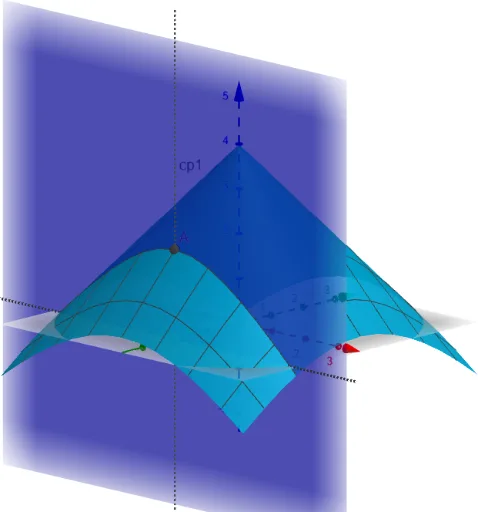
This example demonstrates the geometric interpretation of directional derivatives by visualizing the dot product between a vector and the gradient of a function. Key math concepts include directional derivatives, gradients, vector dot products, and function rates of change. GeoGebra commands used in construction are: Derivative for differentiation, Translate for shifting, Vector for creating vectors, Line for drawing lines, Plane for defining planes, IntersectPath for finding intersections, and LaTeX for displaying formulas. Suitable for high school students and above learning multivariable calculus to understand local changes in functions.
GeoGebra Commands & Parameters
Derivative(a, x) → gxDerivative(a, y) → gyTranslate(A1, gradA) → A1'Vector(A1, A1') → gradVector(A1, B) → uLine(A, zAxis) → cp1Line(A1, B) → cp2Plane(cp1, cp2) → CutPlaneIntersectPath(CutPlane, a) → eq1LaTeX(slope, true, true) → text1