
Fraction Comparison Templates
Loading the math board and drawing, please wait…
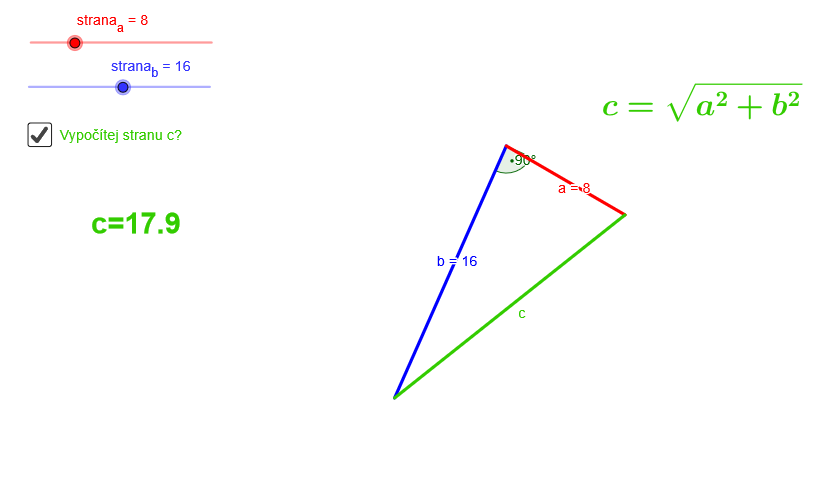
This example demonstrates how to compare fractions dynamically using geometric constructions. It involves core math concepts like fractions, triangles, angles, rotation, and geometric transformations. Construction highlights include using GeoGebra commands such as Point, Segment, Rotate, Angle, and Line. Suitable for middle school students and above to learn fraction comparison and geometric construction techniques, as well as introductory probability statistics.
GeoGebra Commands & Parameters
Point(Circle[C, strana_b]) → ASegment(C, A) → bRotate(A, 90°, C) → A'Angle(A, C, A') → αLine(C, A') → a_1Point(Circle[C, strana_a]) → BSegment(C, B) → aSegment(A, B) → c
AI Drawing Prompt Reference
Draw a triangle with one fixed vertex, and the other two vertices determined by rotation and sliding, showing the angle and side length relationships between two triangles, compare their areas using geometric constructions, include dynamic sliders and geometric transformations, suitable for learning fraction comparison and geometric construction techniques.
The prompt above was compiled from the original drawing commands and is for reference only.