
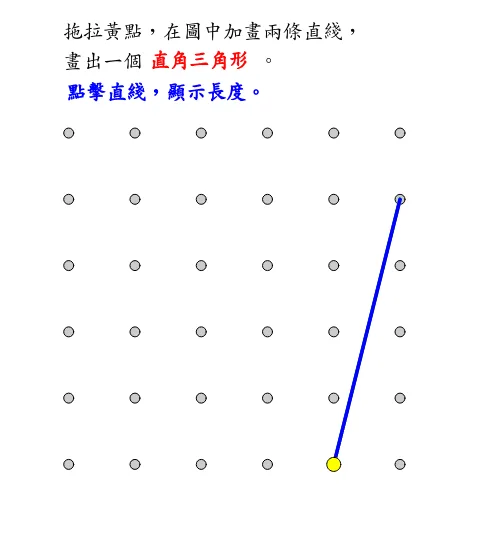
Drawing a Triangle: Problem 1e
This GeoGebra example demonstrates how to draw triangles, including right triangles and general triangles. By using sequence, polygon, and angle commands, one can learn how to create and manipulate triangles, as well as how to use the ruler and compass to measure side lengths and angles. Additionally, the example involves concepts such as symmetry, piecewise functions, binomial distribution, and exponential functions. Students can interactively explore triangle construction, adjust vertices to observe changes in side lengths and angles, and apply geometric reasoning to verify properties such as the triangle inequality and angle sum. The integration of dynamic sliders and construction tools allows learners to visualize how modifications to one part of the triangle affect the whole figure. This hands-on approach reinforces understanding of fundamental geometry while connecting to broader mathematical topics, making it a versatile resource for both classroom instruction and independent study.
In collections
Grade 3 Semester 2: Triangles (Teacher's Edition)
Grade 3 Semester 2: Triangles (Student Edition)
Loading the math board and drawing, please wait…