
Geometric Transformation: Translation and Scaling
Loading the math board and drawing, please wait…
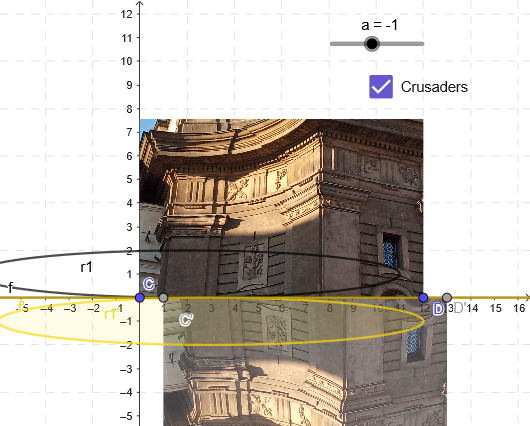
This example demonstrates how key geometric objects change under translation and a related scaling/affine transformation, visualizing the correspondence between the original configuration and its transformed image. It centers on geometric transformations (Translation/Scaling), matrix-based affine mapping, and the way lines and special points map to new positions while preserving the transformation rules. Construction-wise, it uses GeoGebra’s ApplyMatrix command together with Line to define the transformation and generate image objects: original points/lines (e.g., a, A, C, D, f, r1, Fr, b) and their transformed counterparts (such as C', D', f', r1', Fr', etc.). The clear “before vs. after” setup makes it suitable for students studying transformations in coordinate geometry and for educational use in middle school advanced tracks through early university level.
GeoGebra Commands & Parameters
ApplyMatrix(A, r1) → r1'ApplyMatrix(A, C) → C'ApplyMatrix(A, D) → D'Line(C, D) → fLine(C', D') → f'ApplyMatrix(A, Fr) → Fr'
AI Drawing Prompt Reference
Create a geometric transformation example: first draw two points C and D, connect them to form a line f; also draw a point Fr and a line r1 at other positions. Then apply the same affine matrix to transform these objects, producing corresponding transformed points C', D', Fr' and lines f', r1', clearly showing the correspondence between the original figures and their transformed images.
The prompt above was compiled from the original drawing commands and is for reference only.