
Cylinder Inscribed in a Cone
Loading the math board and drawing, please wait…
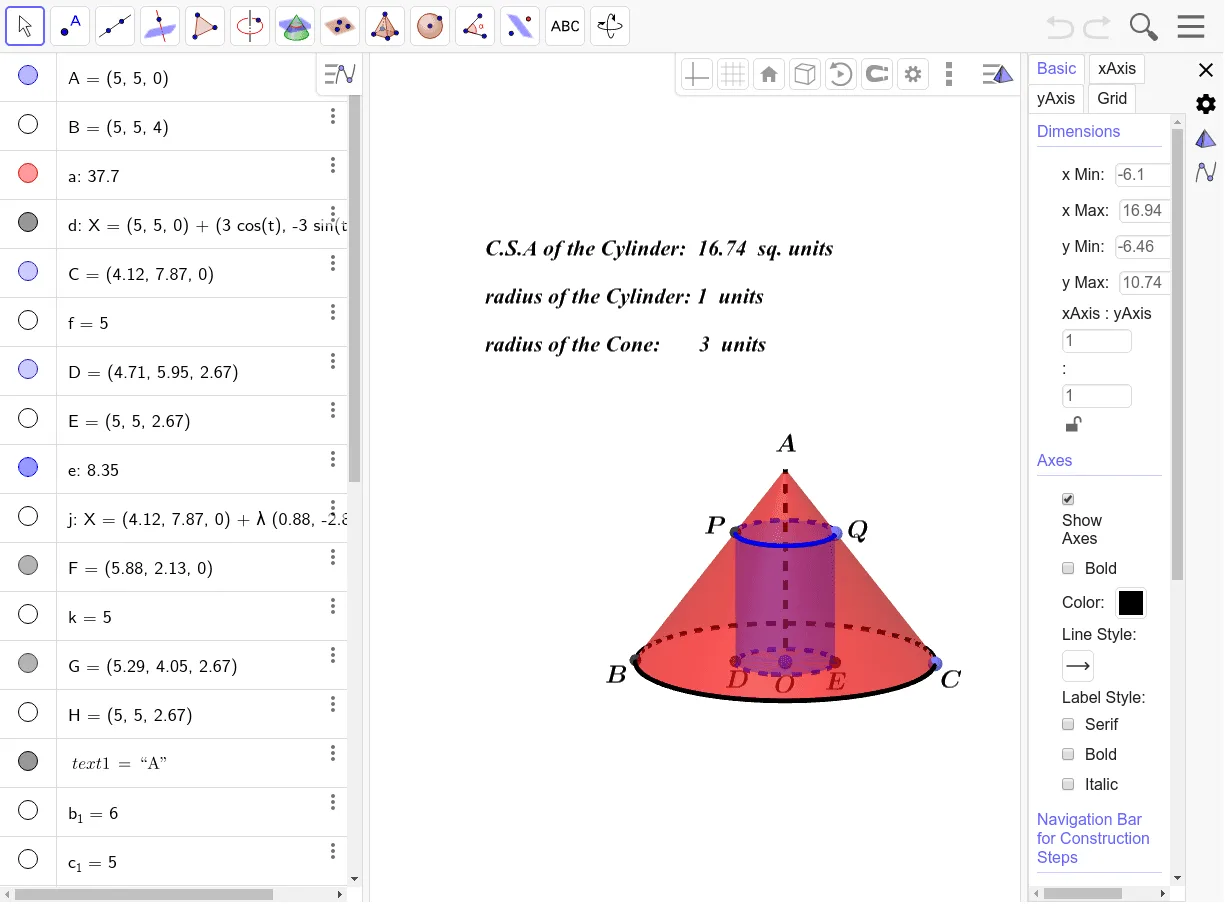
This example demonstrates how to construct a cylinder of maximum volume inscribed within a cone. Key math concepts include solid geometry, differential calculus, and optimization. The construction utilizes GeoGebra commands and objects such as Cone, Circle, Point, Segment, Cylinder, Line, Intersect, Midpoint, Polygon, and Text. Suitable for high school students and math enthusiasts needing applications of solid geometry and calculus.
GeoGebra Commands & Parameters
Cone(A, B, 3) → a, c, bCircle(A, 3, c) → dPoint(d) → CSegment(C, B) → fPoint(f) → DCylinder(A, E, Distance[E, D]) → e, g, h, iLine(C, A) → jIntersect(j, d, 1) → FSegment(F, B) → kIntersect(k, h, 1) → GMidpoint(D, G) → HPolygon(B, F, C) → t1, c_1, b_1, f_1Intersect(b_1, g, 2) → IIntersect(b_1, g, 1) → JSegment(A, B) → lText((("radius of the Cylinder: " * Length[Segment[A, J]]) * " units")) → text10Text((Text[("C.S.A of the Cylinder: " * Product[{2, π, Length[Segment[A, J]], Length[Segment[D, J]]}, 4])] * " sq. units")) → text9Text((("radius of the Cone: " * Length[Segment[A, C]]) * " units")) → text11
AI Drawing Prompt Reference
Draw a cone with a circular base of radius 3 and a vertex above the base. Inside the cone, construct an inscribed cylinder whose base center coincides with the cone's base center, and whose top face touches the cone's lateral surface. The cylinder's height and radius are adjustable, optimized by moving a point on its top rim. Pick a point on the cone's base circumference, connect it to the vertex to form a slant line, and place a point on this line to guide the cylinder's top. Show the axial cross-section triangle of the cone, and mark the intersections of the cylinder with this triangle. Finally, add text labels indicating the cylinder's radius, lateral surface area, and the cone's radius.
The prompt above was compiled from the original drawing commands and is for reference only.