
Cube Division Demonstration
Loading the math board and drawing, please wait…
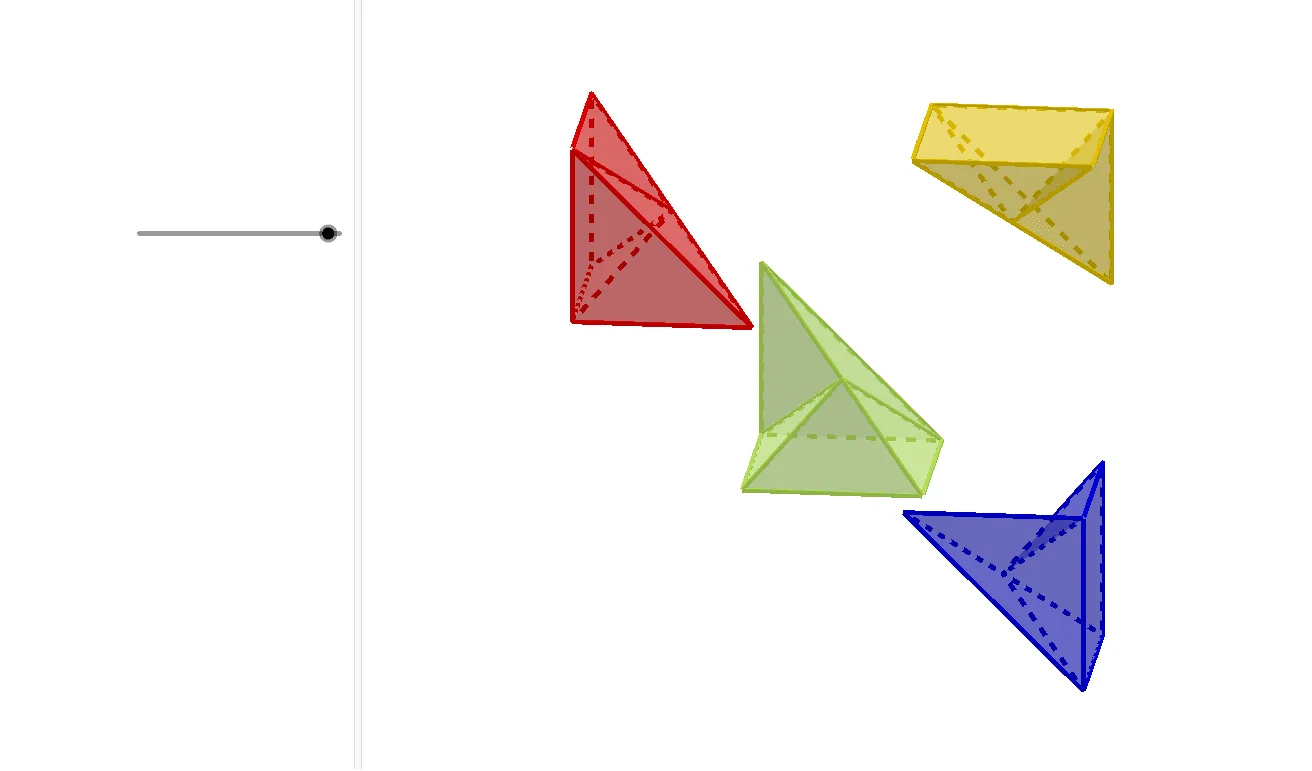
This example demonstrates the geometric construction and relationships of a cube's division. It involves core mathematical concepts such as Definite Integral, Natural Numbers, Constructions, Linear Programming/Optimization, GCD, and LCM. GeoGebra commands and objects like Intersect, Point, Polygon, Pyramid, Mirror, Plane, IntersectPath, and Midpoint are used in the construction. Suitable for high school students and math enthusiasts learning solid geometry, calculus, and optimization methods.
GeoGebra Commands & Parameters
Intersect(xAxis, yAxis) → APoint(xAxis) → BPolygon(A, B, 4) → pol1, f, g, h, i, C, DPolygon(A, B, 4) → pol2, j, k, l, m, E, FPyramid(pol2, f / 2) → a_{3}, G, faceABG, faceBEG, faceEFG, faceAFG, arestaAG, arestaBG, arestaEG, arestaFGMirror(a_{3}, faceBEG) → a'Mirror(a_{3}, G) → a'_{1}Plane(G, A, B) → pIntersectPath(p, a'_{1}) → pol3, H, I, J, n, q, rPolygon(H, E, J) → t2, j_2, h_2, ePolygon(J, E, F) → t3, f_1, j_3, e_1Polygon(J, F, A) → t4, a_1, j_4, f_2Polygon(J, A, B) → t5, b, j_5, a_2Polygon(H, B, E) → t6, e_2, h_3, b_1Polygon(H, J, B) → t7, b_2, h_4, j_6Polygon(P_7, P_5, P_6) → t1, p_6, p_7, p_5Polygon(P_3, P_6, P_5, P_4) → q1, p_3, s, t, p_4Polygon(P_7, P_4, P_5) → t8, c, d, g_1Polygon(P_2, P_4, P_3) → t9, h_1, p_2, i_1Polygon(P_2, P_7, P_4) → t10, j_1, k_1, l_1Polygon(P_3, P_2, P_7) → t11, m_1, n_1, p_1Polygon(P_3, P_7, P_6) → t12, q_1, r_1, s_1Midpoint(R_4, R_1) → KPolygon(R_4, R_3, R_2, R_5) → q2, r_4, r_3, r_2, r_5Polygon(R_5, R_2, R_1) → t13, t_1, c_1, d_1Polygon(K, R_5, R_4) → t14, g_2, k_2, i_2Polygon(K, R_3, R_4) → t15, l_2, k_3, m_2Polygon(R_1, K, R_5) → t16, n_2, q_2, k_4Polygon(K, R_1, R_2) → t17, s_2, k_5, t_2Polygon(K, R_3, R_2) → t18, c_2, k_6, d_2Midpoint(S_5, S_2) → LPolygon(S_3, L, S_4) → t19, s_4, s_3, l_3Polygon(S_3, S_5, S_1) → t20, f_3, g_3, s_5Polygon(S_3, L, S_5) → t21, i_3, m_3, l_4Polygon(S_3, S_4, S_2, S_1) → q3, n_3, q_3, t_3, b_3Polygon(S_2, L, S_1) → t22, c_3, d_3, l_5Polygon(S_1, L, S_5) → t23, e_3, f_4, l_6Polygon(S_4, S_2, L) → t24, l_7, g_4, i_4
AI Drawing Prompt Reference
In 3D space, start from two perpendicular coordinate axes and their intersection as the main reference point. Using points on these axes, construct two corresponding quadrilateral base faces (each sharing the same pair of axis-derived points, with other points completing the four corners). Lift one quadrilateral face into a pyramid defined by a height parameter, then mirror the pyramid’s key vertex across a specific face and mirror it again across the pyramid’s apex line so that a new mirrored vertex and its associated mirrored direction are created. Use a plane through the mirrored setup to intersect the mirrored direction path, obtaining several intersection points. Build multiple triangular and quadrilateral surface patches by connecting those points to form a divided cube-like solid, and take midpoints on selected edges to create further internal vertices, then connect them to finalize the subdivision faces.
The prompt above was compiled from the original drawing commands and is for reference only.