
Cross Sections of a Square Pyramid
Loading the math board and drawing, please wait…
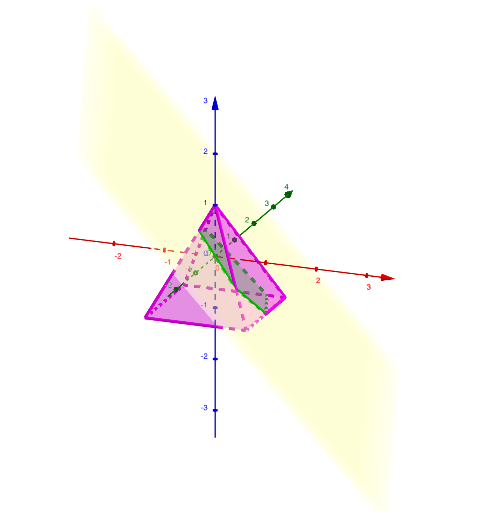
This example demonstrates the cross sections of a square pyramid. Key mathematical concepts include solid geometry, polygons, and triangles. Using GeoGebra commands such as Point and IntersectPath, dynamic changes in different cross sections can be shown. Suitable for high school mathematics, particularly in solid geometry and geometric construction.
GeoGebra Commands & Parameters
Point(zAxis) → FPyramid(B, A, D, E, F) → f, faceABED, edgeBF, edgeAF, edgeDF, edgeEF, faceABF, faceADF, faceDEF, faceBEF, edgeAB, edgeAD, edgeDE, edgeBEPoint(Circle[A, Distance[B, A], Segment[B, A]]) → CIntersectPath(p, f) → poly1, G, k, H, I, J, K, g, h, i, j
AI Drawing Prompt Reference
Draw a cross-section diagram of a square pyramid. First construct a square pyramid by placing the apex and four base vertices, then connect the corresponding base edges and side edges to form the pyramid faces. Next, define an auxiliary point using a circle determined by a segment distance from one base vertex to another, and use this point to position a cutting path through the pyramid. Compute intersections of that path with the pyramid faces to obtain a cross-section polygon, showing the key intersection points and the resulting cut lines so different cross sections can be visualized through the geometric relationships.
The prompt above was compiled from the original drawing commands and is for reference only.