
Cork Plug Volume Calculation by Manish Jain
Loading the math board and drawing, please wait…
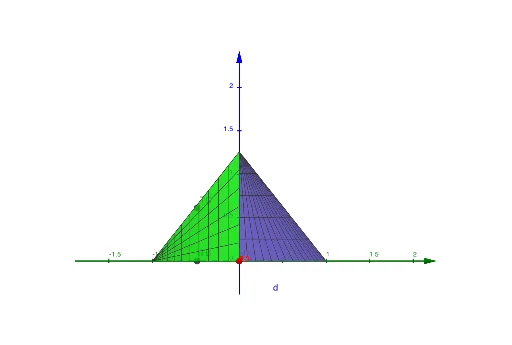
This example demonstrates how to calculate the volume of a cork plug using GeoGebra by constructing its surface and volume. Key mathematical concepts include volume calculation, congruence, natural numbers, indefinite integral, conditional probability, and subtraction. The construction involves commands like Surface and Polygon, and objects such as t, b, c, a, A, TA, TB, TC, t1, tc, ta, tb, d, e as per the construction summary. Suitable for high school and above, focusing on solid geometry and calculus.
GeoGebra Commands & Parameters
Surface(cos(i), sin(i), ((h * i) * tan(t)), i, 0, π / 2, h, 0, 1) → bSurface((-cos(i)), sin(i), ((h * i) * tan(t)), i, 0, π / 2, h, 0, 1) → cSurface(cos(i), (-sin(i)), ((h * sin(i)) * tan(t)), i, 0, π, h, 0, 1) → aPolygon(TA, TB, TC) → t1, tc, ta, tbSurface(cos(i), ((1 - h) * sin(i)), (h * tan(t)), i, 0, π, h, 0, 1) → dSurface(cos(i), (-sin(i)), ((1 - sin(i)) * h), i, 0, π, h, 0, tan(t)) → e
AI Drawing Prompt Reference
Draw a figure consisting of three surfaces and two polygons that demonstrates how to calculate the volume of a cork plug. The surfaces are defined using cosine and sine functions with height varying from 0 to 1, and one surface is symmetric about the x-axis. The two polygons connect the intersection points of the three surfaces, forming a closed solid structure. The construction illustrates key concepts in solid geometry and calculus, including volume calculation, integration, and geometric relationships.
The prompt above was compiled from the original drawing commands and is for reference only.