
Writing Circle Equations in the Coordinate Plane
Loading the math board and drawing, please wait…
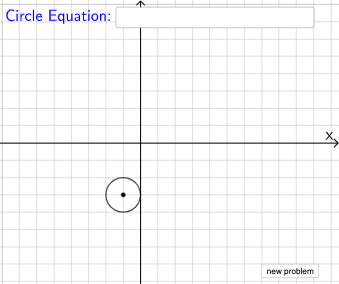
This interactive GeoGebra example demonstrates how to write circle equations in the Cartesian coordinate plane based on center coordinates and radius. Students can drag the center or adjust the radius to observe how parameters change in the standard circle equation (x-h)²+(y-k)²=r². The construction uses GeoGebra commands including Circle for drawing circles, Point for marking center and points, Distance for measuring radius, Line for auxiliary lines, and Textfield to display equations. This example is ideal for high school mathematics lessons on conic sections and coordinate geometry, helping students understand the relationship between geometric properties of circles and their algebraic representations.
GeoGebra Commands & Parameters
Point(Segment[(h + 1, y(C) + 10), (h + 1, y(C) - 10)]) → DLine(A, B) → fVector(A, C) → uPolygon(A, C, B) → t1, b, a_1, cSegment(A, C) → h_{1}Vector((h, 0), A) → wVector((0, 0), (h, 0)) → jPoint(Ray[A + (1, 0), A + (2, 0)]) → ECircle(A, E) → pDistance(A, E) → nVector(A, E) → vPoint(p) → FIntersect(eq1, q) → GPolygon(A, G, F) → t2, f_1, a_2, g_1Segment(F, A) → rSegment(A, G) → sSegment(G, F) → tAngle(A, G, F) → αRotateText(text18, pi / 2) → text20RotateText(text19, pi / 2) → text21Random(-5, 5) → xcRandom(-5, 5) → ycRandom(1, 7) → n_1Center(eq2) → HTextfield(eq3) → InputBox1Center(eq3) → I
AI Drawing Prompt Reference
Draw a circle to show how its center coordinates and radius affect its equation. The center and radius can be dragged or adjusted to observe changes. Construct using points, lines, and circles to mark the center, measure the radius, draw the circle, and display the equation. Ensure the graph is clear to illustrate the relationship between geometry and algebra.
The prompt above was compiled from the original drawing commands and is for reference only.