
Interactive Circle in Standard Form (Circle - Standard Form)
Loading the math board and drawing, please wait…
In collections
The GeoGebra's Toolbox for Teachers and Students
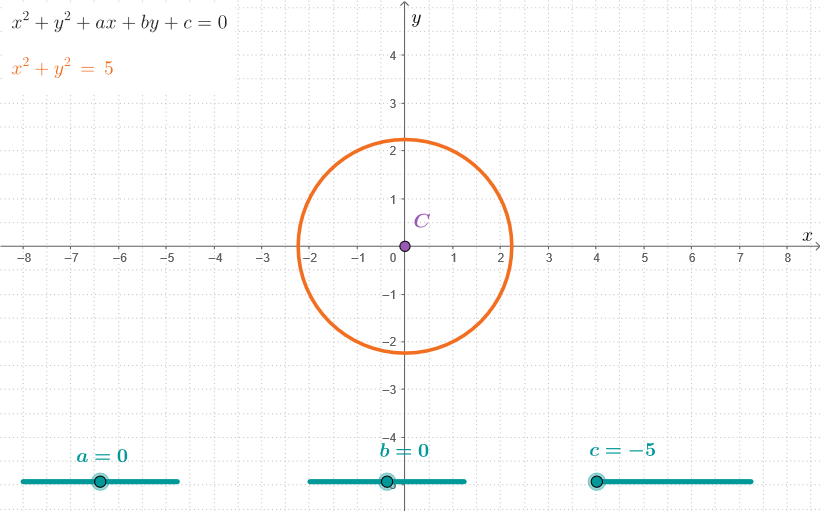
This GeoGebra example uses an interactive circle to demonstrate how the standard form of a circle equation corresponds to the circle’s center and radius, allowing learners to see the effect of changing parameters directly on the graph. The key math concepts include the circle’s standard equation, identifying the center and radius, and connecting coordinate representations with geometric intuition in coordinate geometry. Construction-wise, it is built using GeoGebra commands such as “Corner, Center;”, and the construction summary references objects including points/parameters (a, b, c, p), a derived circle (C_1), dimension/measuring aids (dims), the main circle (C), and helper/testing objects (testo3). The interactive setup supports verification by comparing the displayed circle with its coordinate-based form. Suitable for middle and high school lessons and early university topics on analytic geometry, equation-to-graph learning, and guided practice.
GeoGebra Commands & Parameters
Corner(5) → dimsCenter(p) → C
AI Drawing Prompt Reference
Draw a standard circle with center at (a, b) and radius c. Show the changes of the center and radius in the graph, making it easy to observe the relationship between the circle's standard equation and its center and radius.
The prompt above was compiled from the original drawing commands and is for reference only.